Quantity-Based Component Stock Alerts Help Buyers Track Short Parts
- adam-fleischer
- 641 reads
Set distributor alerts at the quantity your build needs, then verify the exact offer before ordering.
For a 500-unit pilot build, seeing a component marked “in stock” doesn’t solve the sourcing problem if the distributor has only a few dozen pieces. What matters is whether an approved source can supply the exact manufacturer part number (MPN) in enough quantity to meet the order. A quantity-based stock alert can replace repeated distributor searches with an email when one selected distributor lists the required amount.
Why stock checks become a daily task
A buyer tracking a dozen short parts across four distributors faces 48 searches each time the list is checked. Repeat that every morning and the work adds up, while stock can appear just after a check and remain unnoticed until the following day. In a constrained market, that delay can matter if another buyer orders the available lot first.
Simple availability labels also leave out the information procurement needs. Ten units may count as “in stock,” but they won't cover a 500-unit build. A newly listed offer may also come in packaging or a minimum order quantity that doesn't fit the requirement. The useful signal is whether a preferred, franchised distributor has enough of the exact MPN—not merely whether any quantity is listed.
When franchised inventory is scarce, buyers may encounter broker offers at steep markups. Quality and engineering teams often need traceability before accepting parts from a broker, so replenishment through an approved distributor can be the event that allows a build to proceed. A forecast for when supply might recover doesn't establish when usable stock will actually be available.
Recovery estimates can miss the real timeline
The fire at Asahi Kasei Microsystems’ (AKM) fab in Nobeoka, Japan, shows why a projected recovery date is a poor substitute for monitoring inventory. The fire began on October 20, 2020, lasted about 82 hours and destroyed the plant that made AKM audio converter chips.
Suntsu initially estimated a six-to-nine-month return to operation. Broker offers appeared quickly; Millennia Media CEO John La Grou said, “We saw one $5 AKM part being offered at $110 each” (Audioholics). AKM said supply was resuming in stages through outsourced manufacturing 16 months after the fire, and had not decided whether to restart the damaged fab (Strata-gee).
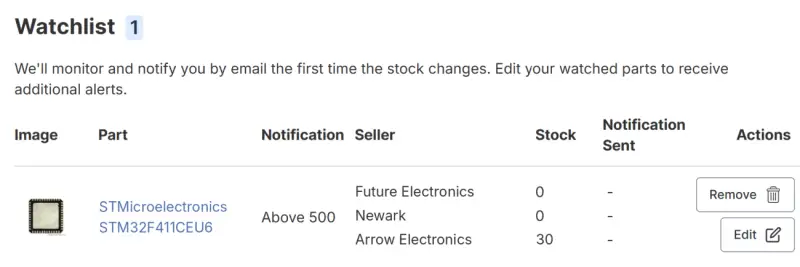
Buyers outside the manufacturer couldn't know precisely when supply would return. Distributor stock counts, however, were visible. An alert set to the build requirement could notify a buyer once a single distributor showed enough units to cover the order.
Set an alert around the build requirement
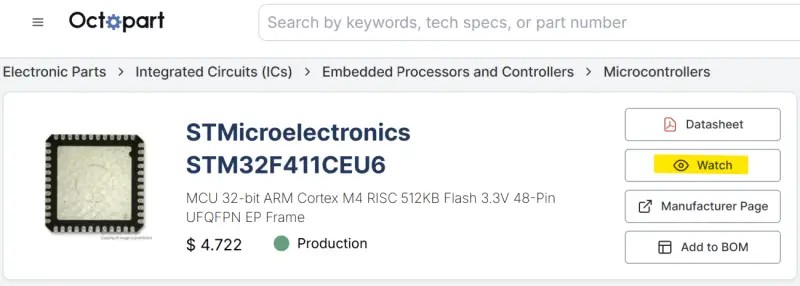
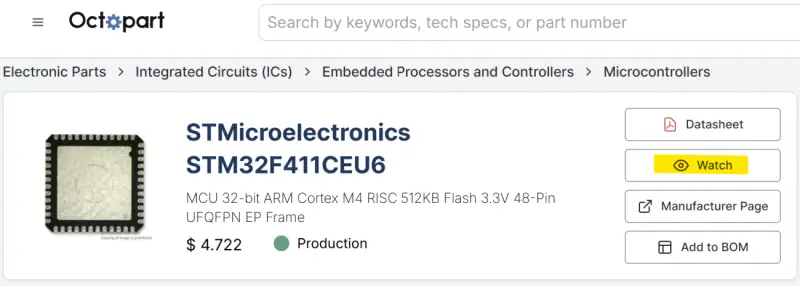
Octopart's stock alerts require a free account. After registering or signing in, buyers can create an alert from a part page or from a saved bill of materials (BOM). Search for the MPN, open its part page and select Watch. From a saved BOM in the BOM Tool, open the matching MPN and follow the link to its part page, then select Watch. Saving a BOM alone doesn't create alerts, so each short part needs its own watch.
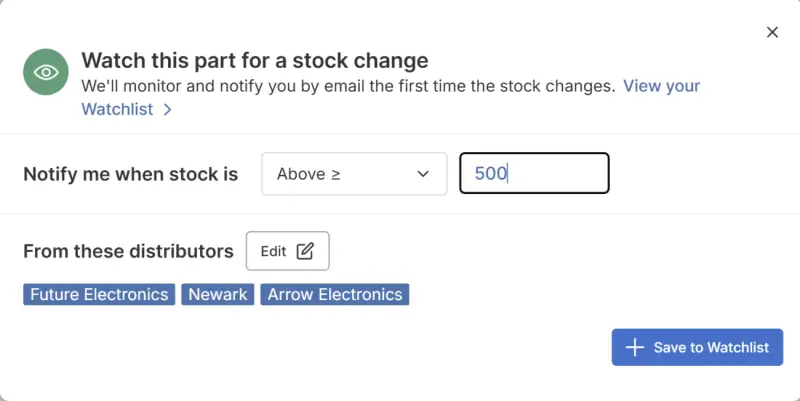
The alert settings include a threshold type—Above or Below—a quantity and the distributors to monitor. For a 500-unit build, set the type to Above and enter 500. Octopart checks each distributor separately, so the alert is triggered when one distributor lists at least 500 units; quantities spread across multiple distributors don't satisfy that threshold. Octopart sends one email the first time the stock reaches the selected level.
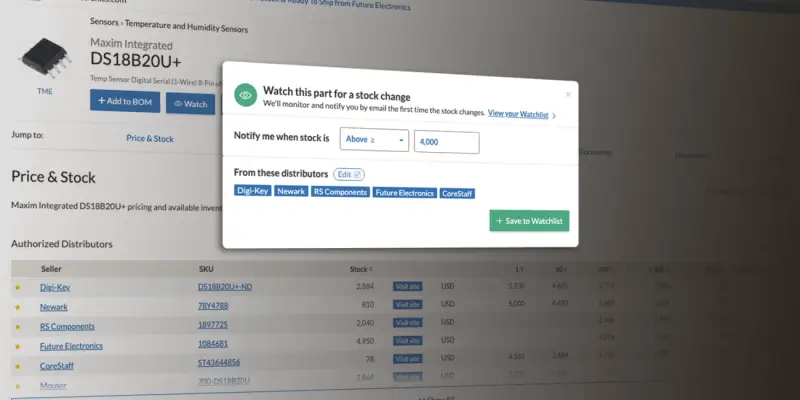
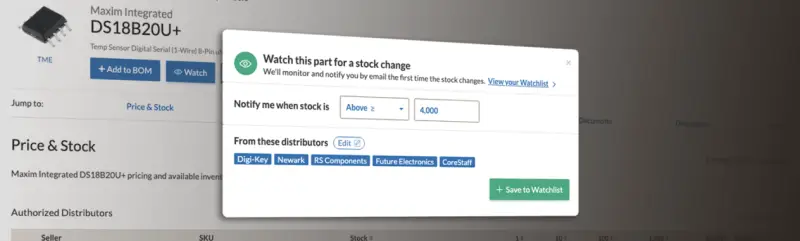
Use Edit to choose specific distributors or individual offers. If no selection is made, the alert uses the buyer's preferred distributors. Select Save to Watchlist to finish. Alerts can later be changed or deleted from Watchlist, available through the profile menu in the Octopart interface.
Use inventory history to inform the threshold
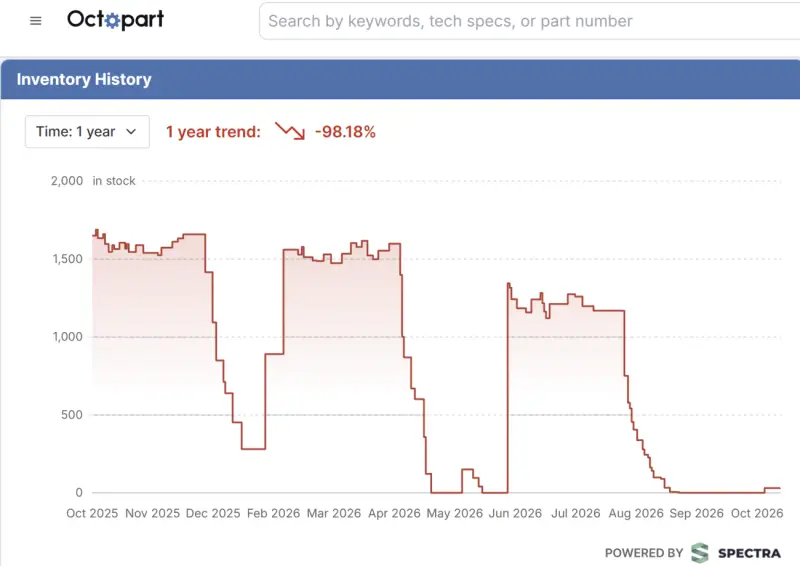
The Inventory History graph on a part page shows total franchised distributor stock over three-month and 12-month views. Previous drops followed by recoveries can indicate that replenishment has happened before, though they don't guarantee another recovery by a particular date. An alert at the build quantity would identify when that threshold is reached.
If inventory has stayed below the required quantity for a year, relying on a restock before the build is a weak plan. Buyers may need to consider taking partial lots as they appear or ask engineering to qualify an alternate. The graph helps frame that decision with observed stock history rather than a forecast alone.
Choose alert settings for the buying situation
- Short part for an upcoming order: Set an Above alert at the order quantity, so a small trickle of stock doesn't trigger a false sense of readiness.
- Frequently purchased part: Set a Below alert at a chosen replenishment point. For a common ceramic capacitor, an early warning can leave time to buy ahead or switch to an approved alternate.
- Part listed but not yet stocked: Set an Above alert at one unit to hear when the first inventory appears.
Verify the offer before placing an order
An alert reports that a stock threshold was reached; it doesn't reserve inventory. Open the part page and check the current distributor offer for the exact MPN, quantity, packaging, minimum order quantity and delivery terms. Stock can change between the email and checkout, so confirm availability on the distributor's own site before committing.
For supported distributors, Octopart can open a prefilled cart from the BOM, reducing the need to enter quantities again. The purchase is completed on the distributor's site, where the offer details should be checked once more.
For the pilot build, a 500-unit alert turns the sourcing task into a specific trigger: when one preferred distributor lists enough stock, the buyer gets an email and can verify the offer. Applying that threshold to each short MPN makes inventory monitoring easier to manage while keeping the final decision tied to the actual quantity, packaging and terms available.