Build a Component Watchlist Before BOM Freeze to Catch Supply Risks
- adam-fleischer
- 827 reads
Track hard-to-replace parts and declining distributor stock early enough to assess buys or qualify alternates before a design is frozen.
A clean availability check can hide a production risk. Three designs approaching BOM freeze in the first quarter of 2027 have 180 unique components, and every part currently appears in stock at franchised distributors. That includes high-capacitance MLCCs in a power supply board and DDR4 memory in a sensor gateway. Yet production orders are expected in mid-2027, when today’s inventory may no longer be available in the required quantities.
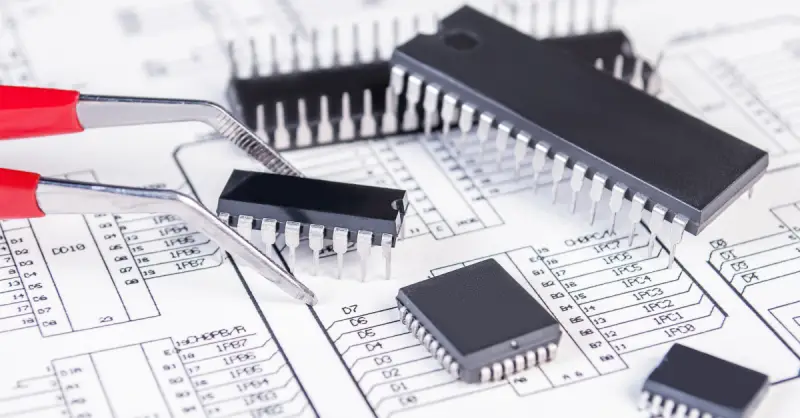
A short component watchlist can give an engineering team time to respond while the design can still change. The useful signal is not simply whether a part is available today, but how its supply is moving and how difficult it would be to replace. Alerts tied to distributor inventory can prompt an early review, leaving time to consider an advance purchase, qualify an alternate, or do both.
Why current availability can mislead
Supply conditions can vary sharply within a component category. In August 2026, TrendForce reported that lead times for standard-case MLCCs remained at 14 to 18 weeks, while DigiKey data in the same report showed some high-capacitance parts from Samsung Electro-Mechanics at about 40 weeks.
Securities reports cited by TrendForce said Samsung Electro-Mechanics, Murata and Yageo had run out of certain high-capacitance MLCCs by mid-August. These parts are used in servers and high-performance power supplies, and restocking was expected between November 2026 and January 2027. Capacity planned for late 2026 had also reportedly shifted into 2027. The memory market faced related pressure, with AI data centers drawing wafer capacity toward high-bandwidth memory and away from conventional DRAM and NAND; see the discussion of memory supply pressure.
Those restock dates are estimates, and delays can extend the gap. If a power-stage capacitor or gateway DDR4 becomes difficult to source after freeze, the engineering team may need weeks to assess and qualify a substitute. A different package or pinout could also require a layout change. Monitoring candidates before the design is locked gives the team a chance to investigate while those choices remain open.
Keep the watchlist focused
Putting all 180 components on alert would generate noise from ordinary inventory changes. A more practical screen starts with parts that are difficult to replace, adds components in categories under pressure, then uses inventory history to decide which candidates merit continued monitoring. In this example, 32 parts make the initial cut; history reduces that group to 15.
Prioritize parts with costly substitutions
Start with components whose replacement could force a design change or a long qualification effort. Single-source devices, uncommon footprints or pinouts, and components with demanding qualification requirements are strong candidates. The motor controller’s automotive-grade gate driver and the gateway’s certified radio module fit that description. A standard resistor with many stocked equivalents in the same package is less likely to need an alert.
Add parts in pressured categories
Next, include parts that may face supply constraints even if their current listings look healthy. Here, that means the high-capacitance MLCCs on the power board and DDR4 on the gateway. A category outlook can help identify other areas to review; one reference is Octopart’s category-by-category outlook for 2027.
Use inventory history to refine candidates
The Inventory history graph on an Octopart part page shows franchised distributor stock over three-month and 12-month periods. The longer view can reveal repeated dips or a steady decline that a single availability check misses. Apply a few simple rules: remove a part if stock has stayed comfortably above the build quantity; keep it if stock has repeatedly approached zero and recovered; and keep it while investigating alternates if inventory has fallen month after month.
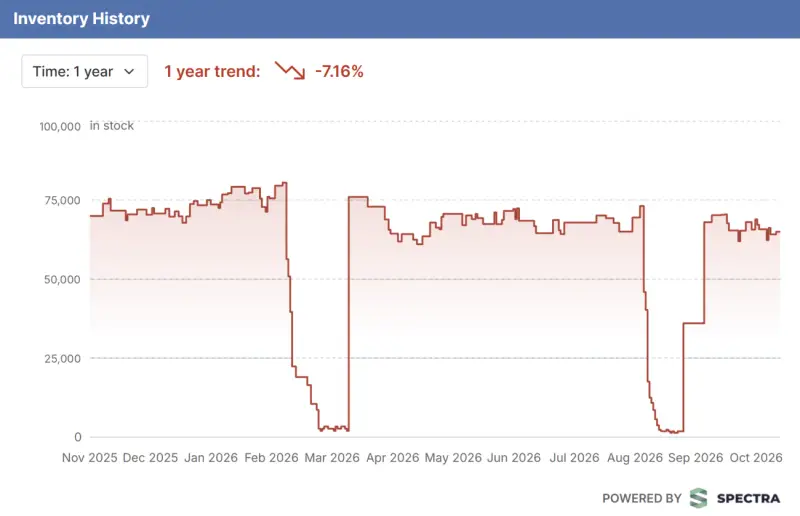
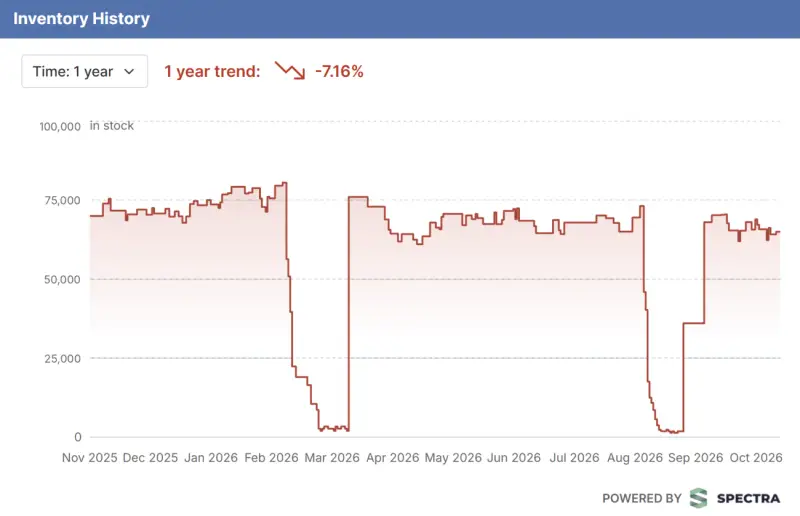
Figure 1: This MLCC’s 12-month inventory history shows stock usually above 60,000, with two drops close to zero before recovery.
The MLCC remains on the example watchlist because its history shows two near-zero dips. The DDR4 remains because its stock has declined month over month. Those patterns distinguish them from parts whose inventory has remained well above expected production needs.
Set thresholds against one distributor’s inventory
All 15 selected components are currently available, so each receives a below-threshold alert. The threshold needs to reflect the stock at an individual distributor: Octopart checks alerts against a distributor’s inventory, while the Inventory history graph reports a franchised-stock total.
Consider the watched MLCC. The power supply board uses eight per unit, so a run of 1,000 boards requires 8,000. Its historical total has usually exceeded 60,000. The main distributor currently lists about 45,000, and the engineer estimates its normal inventory is at least 40,000. Procurement’s own records would provide a stronger baseline if available.
A useful threshold sits below normal inventory, to avoid alerts from routine variation, and well above the quantity needed for one build. In this case, the engineer sets it at 25,000. During both earlier dips, stock fell from its usual range to nearly zero in one to three weeks. That history suggests an alert could provide a window to investigate, but it does not reserve any of the distributor’s inventory. Another buyer’s order could reduce stock below 8,000 before procurement places its order.
Create and maintain the alerts
On Octopart, sign in and search for the part number. Open its part page, select Watch, choose Below, and enter the threshold quantity. Use Edit to choose which distributors to monitor; if no selection is made, the account’s preferred distributors are used. Then select Save to Watchlist. Choose distributors on the company’s approved vendor list whose current stock is above the threshold.
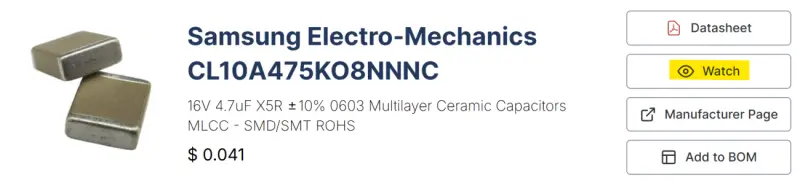
Figure 2: Select Watch on the part page to configure an alert.
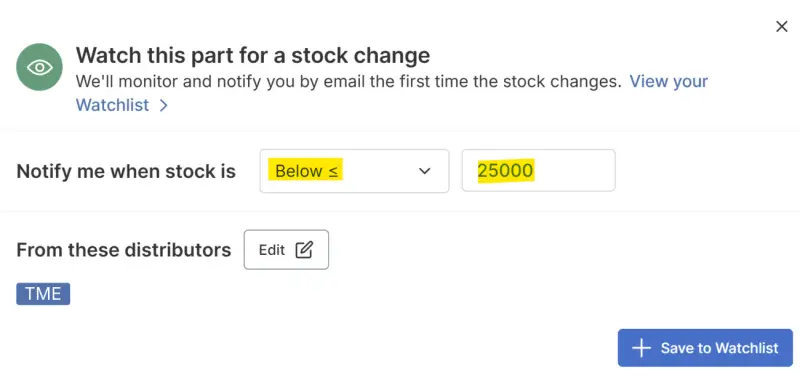
Figure 3: Set a below threshold, enter its quantity and choose the distributors to monitor.
Review the watchlist at each design review. The list shows each threshold and monitored distributor inventory. Recheck thresholds against updated build quantities, and remove alerts for parts no longer in the design. An alert sends one email when inventory first crosses its threshold. If the part still needs attention after that email, create the alert again.
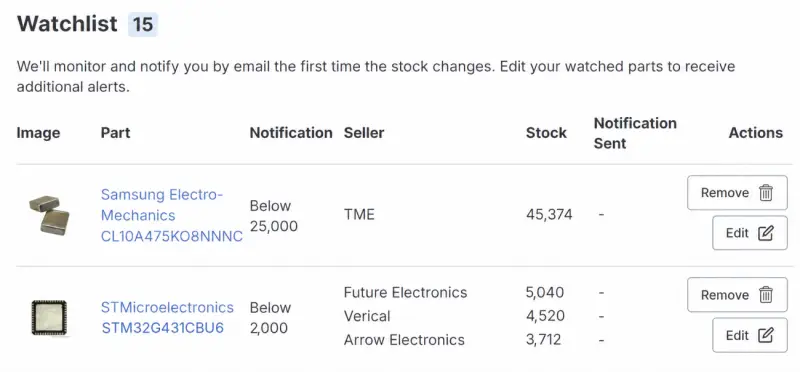
Figure 4: The Watchlist displays alert thresholds and current inventory at each monitored distributor. The example includes the MLCC and an STM32G431CBU6 microcontroller.
Use an alert to start a decision, not end one
When an alert arrives before freeze, compare current distributor offers, inspect the 12-month inventory history, and ask procurement to confirm available quantities and replenishment dates with the distributor. If past dips recovered quickly and confirmed replenishment fits the build schedule, an early purchase may cover the risk. If inventory has been declining for months, as with the gateway DDR4, begin alternate qualification while procurement checks whether an advance purchase can cover near-term demand.
Octopart’s Similar Parts section lists candidates matched on key specifications. The engineering team still needs to check electrical characteristics, footprint compatibility and qualification requirements. If supporting both the original part and an alternate requires a layout change, make and validate that change before freeze. Add the alternate to the BOM after it passes qualification.
At freeze, give procurement the watched-part list and the reason each item is on it. Procurement can then set its own alerts against final production quantities. This supply planning reference covers the procurement side of those decisions.
Start with a few high-risk parts
The example screening reduces 180 apparently available parts to 15 watched components. That smaller list concentrates attention on parts that are difficult to replace or show supply pressure. For the MLCC, a drop below 25,000 at the main distributor would prompt a check while the BOM is still open, giving the team a chance to buy ahead or qualify an alternate.
For a first pass, choose three to five hard-to-replace parts from the design closest to freeze. Set each threshold between the expected build quantity and the monitored distributor’s normal inventory, then review the alerts at design meetings. Add candidates from other designs as their freeze dates approach. The value of the watchlist is the time it creates for engineering and procurement to make a considered response.
Create an Octopart account to set up a watchlist.