Aliencell E1 Pairs a Square Laser Spot with Material Previews for Desktop Engraving
- 3DPrintBeginner
- 494 reads
Aliencell's $499.99 E1 combines a square-spot 10W diode head, material previews and surface-following engraving in a compact, enclosed Class 1 desktop unit.
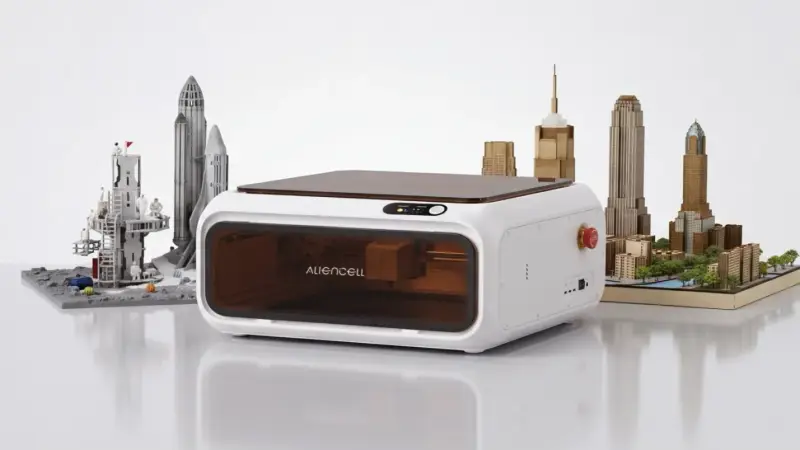
Desktop laser engraving has mostly been a question of how much power you can throw at a surface. Aliencell's E1 takes a different angle. The company, which is the sister brand of CHITUBOX, is best known for resin-printing slicing software. Its E1 Laser Engraver and Cutter, announced November 20, 2026 in New York, puts the same emphasis on what happens before the laser fires: previewing, motion planning and beam geometry.
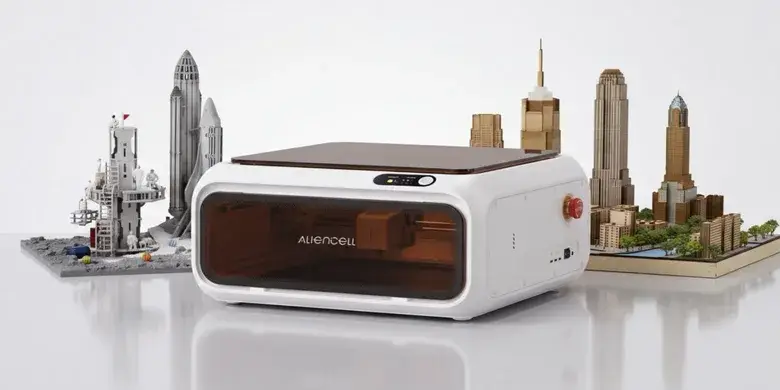
The E1 is a compact, enclosed Class 1 machine with a 12 x 12 inch (305 x 305 mm) working area. It's priced at $499.99 and sold through Aliencell's own store and on Amazon. Aliencell says it designs and manufactures the machines in its own factory under its own quality control, with an engineering team spanning optics, motion control, imaging software, precision mechanics, structural engineering, cloud services and AI.
Square spot instead of round
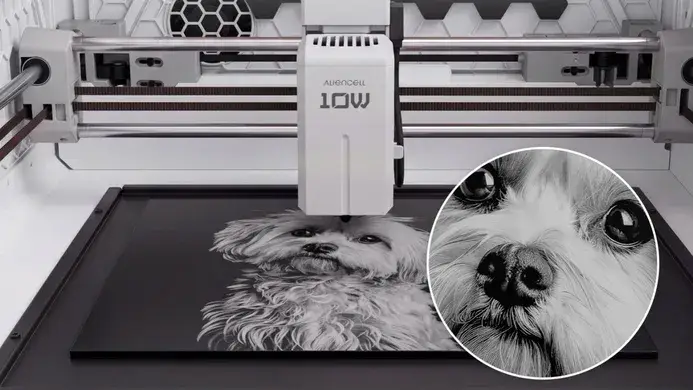
Fine engraving is mostly a fight against spot shape. A round beam bleeds into neighbouring lines, and that softens small text and dense detail. Aliencell's answer is its LBS™ beam-shaping optics on the 10W diode module. Two lens stages reshape a rectangular beam into a 0.03 x 0.03 mm square spot. The company says the more symmetrical spot reproduces intricate designs with less "bleed" into the material.
That matters most for things like a portrait engraved into cedar or a small logo on a keychain, where closely spaced lines determine how crisp the result looks. The company notes that other heads are available beyond the 10W diode, so the square-spot optics are one part of a wider head lineup rather than the whole story.
Motion numbers and what they buy you
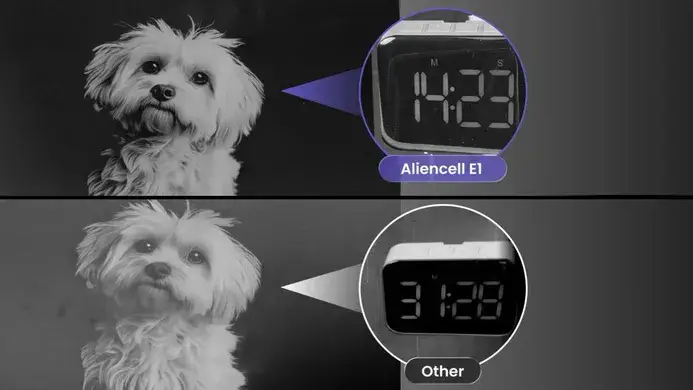
Speed matters once engraving moves from one-off hobby pieces to small production runs. The E1 is rated at a maximum acceleration of 20,000 mm/s² and a working speed of 600 mm/s. Aliencell attributes the efficiency to its motion control algorithms and driver technology, and argues that reducing time spent accelerating and decelerating keeps jobs moving. Those are the company's figures, and they're worth checking against your own job geometry, since short segments and dense vector paths will spend proportionally more time in those ramps.

Previewing before you burn
Anyone who has engraved a batch knows the material problem. A file that looks right on screen can behave very differently on leather, acrylic or metal. The E1's True-to-Result™ Preview simulates how a design will engrave on a selected material. Ten material presets are available now, and Aliencell says a library of more than 300 others will roll out over time. Each preset comes with guided parameter recommendations. The E1 also supports LightBurn 2.2 or later, which will matter to anyone already invested in that workflow. Aliencell Space adds design resources and AI-assisted image tools for users who don't have a design pipeline yet.
Matching the diode to the material
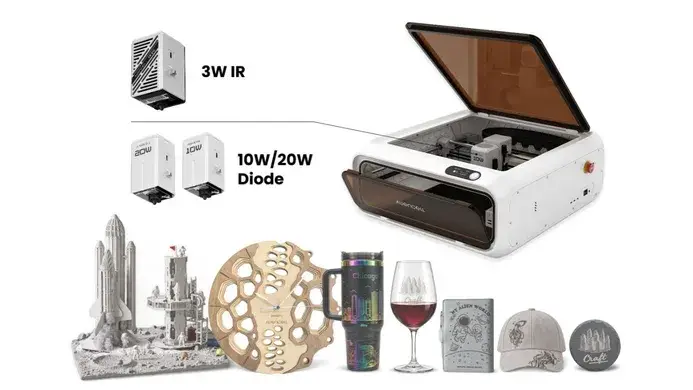
The E1 uses interchangeable 10W and 20W diode modules, plus a 3W infrared (IR) module for finer work. Aliencell positions the 10W for wood, leather, paper and some acrylics, and the 20W for heavier cuts in wood and other compatible stock. The 3W IR head is aimed at detail work such as an engraved date on metal or a custom quote on plastic. Material composition, thickness, coating and laser wavelength all change the result, and no head removes that variable. The practical value of interchangeable modules is that you can match the head to the job rather than forcing one head to cover everything badly.
Curved parts and repeat jobs
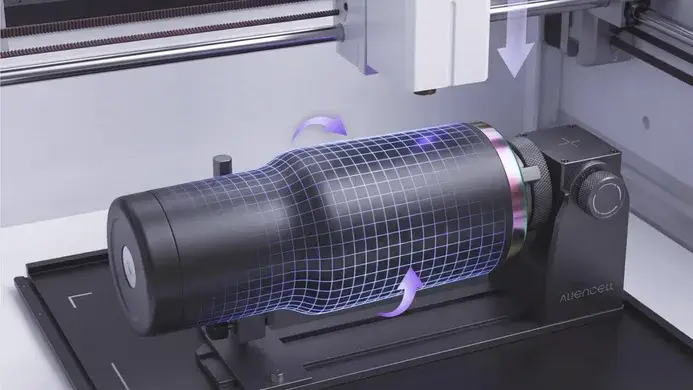
Flat sheets are the easy case. The E1 handles angled or curved surfaces with what Aliencell calls intelligent surface-following, engraving up to a 30° tilt. Switching from a flat wood panel to something like a metal tumbler is described as a one-setup rotary workflow. Cylindrical engraving does need a compatible rotary attachment and riser columns, which Aliencell sells separately. For repeat orders, the front-facing 8 MP camera is there to help position each design visually, and Smart Fill status and guidance run during operation. A 1.9-inch full-color LCD handles the on-machine interface. Aliencell's materials stress that ventilation and operation still need monitoring, and that's not something to skip because the machine is enclosed and desktop-sized.
Where it fits
The E1 makes the most sense for a small shop or side business that needs one machine covering wood, leather, acrylics and metal, and that wants previews to catch mistakes before material is wasted. The trade-off is that the optics, rotary accessories and extra heads add up, so the $499.99 headline price is a starting point rather than a full kit cost. Aliencell's Black Friday–Cyber Monday sale is running, and the company says it carries the year's biggest discount, with prices as low as $449. The company also says its U.S.-based after-sales team handles parts and support, so replacement components don't have to ship from overseas. Check those claims against your own timelines before you buy. Product details are on Aliencell's store page.
My read: the square-spot optics and material previews are the parts worth watching. If the preset library grows as promised, the E1 could lower the trial-and-error cost of desktop engraving more than any single power rating will.