Meshy Edit Review: Fast AI 3D Model Changes, With Limits on Precision
- Aidan Jones
- 703 reads
Meshy Edit can reshape AI models in about a minute and produce printable results, but complex edits need careful prompts and repeated attempts.
Meshy Edit addresses a familiar problem in AI-generated 3D work: a model can be close to what you need, yet a misplaced feature or disconnected part can make it unusable. The tool lets users select part of a model, describe a change and generate a revised version, while keeping the original available. Tests across a dog figure, a sports car and a ghoul miniature found that simple edits could be fast and convincing, and often survived 3D printing. They also exposed clear limits: the prompt can matter more than the selection, complex edits may take many attempts, and structural fixes remain a job for CAD.
Meshy, founded by Ethan Hu, develops models that turn text and images into 3D assets for games, film and printing. The company describes its platform as serving more than 15 million registered users and over 3,000 companies and educational institutions. Meshy Edit launched on October 16, 2026, and is available to registered users. It uses a new model developed in-house.
Testing took place through October and November 2026 on assets generated with Meshy 6 and Meshy 7.1. Each edited model was textured and printed, letting the team check more than whether a change looked plausible in the viewer. The three cases moved from clothing and pose edits to reference-based car design and detailed anatomical changes on a ghoul figure.
A local edit can save a complete regeneration
Text-to-3D and image-to-3D tools can produce a useful starting mesh quickly, but first-pass results often have missing accessories, awkward anatomy or parts that need attention before printing. Until now, the usual choices were to regenerate the entire asset and risk losing a feature that already worked, or export it to software such as Blender and make the correction by hand. The latter can take hours and calls for modelling experience.
Meshy Edit offers a third option. The user marks a region, enters a text description and can attach reference images. Meshy generates a new model, typically in about a minute, while aiming to retain the unselected geometry. Each edit creates a separate model, so the original remains available for comparison or another branch of work. Users can open editing from the model viewer or from Meshy’s 3D printing tools, and send a finished model to supported slicers such as Bambu Studio.
The workflow is deliberately simple: select, then describe. The workspace groups its main controls centrally and labels tools with text and icons. Navigation uses familiar mouse controls: scroll to zoom, Alt plus left-button drag to orbit, and Alt plus right-button drag to pan. Preset views are available, and an on-screen guide explains the controls for newcomers.
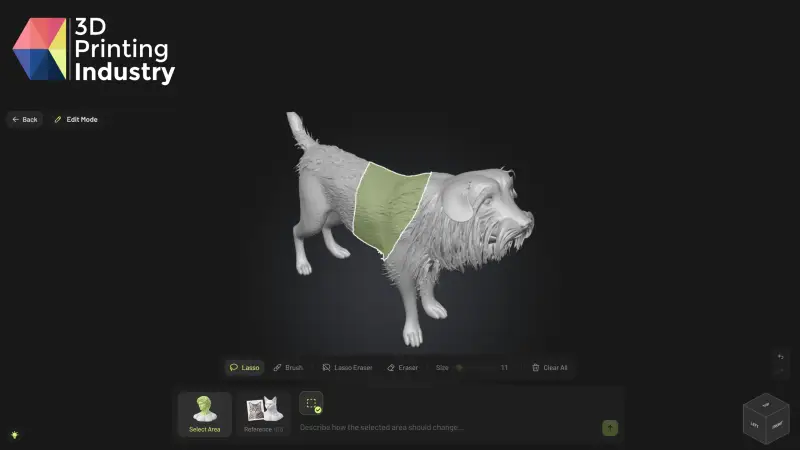
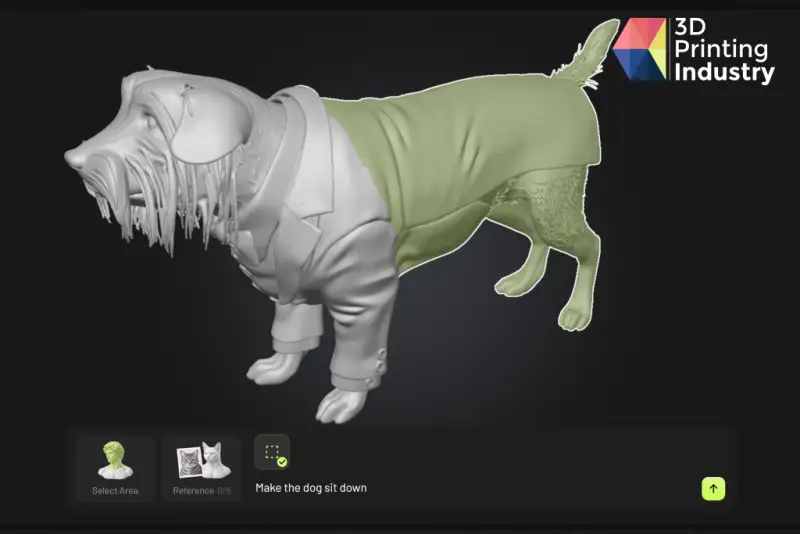
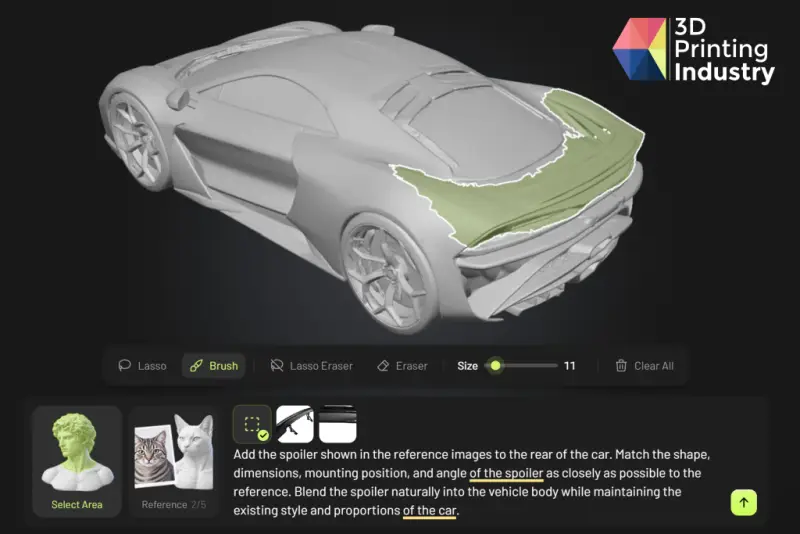
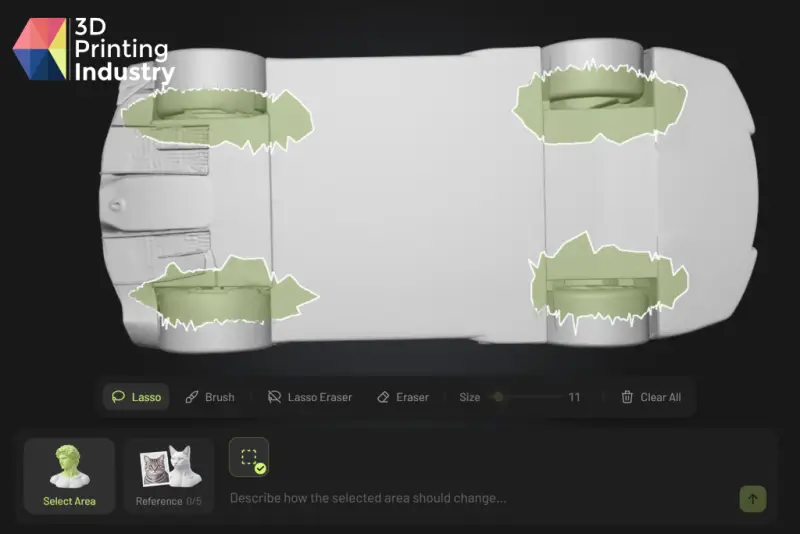
Selection is handled with four tools. Lasso includes every face inside the drawn outline, even faces on the far side of the object. Brush affects visible faces from the current view and has an adjustable size. Lasso Eraser and Eraser remove selected faces, while Clear All resets the selection. Marked geometry appears lime green with a white border. In testing, these controls could isolate small features quickly and accurately.
There are practical limits to eligibility and cost. An edit costs 20 credits and includes up to four regeneration attempts. Meshy says credits are automatically returned if a technical error prevents an edit. Supported assets are high-poly models generated with Meshy 6 or Meshy 7.1, up to Ultra 2K and a maximum of four million faces. Ultra 4K, low-poly, older-version, uploaded, split, remeshed, rigged and animated models are excluded. The edit changes geometry only: a textured model returns to an untextured state for editing. Meshy says texture editing is planned.
Two interface omissions created avoidable friction. The 20-credit charge appeared only when hovering over the generate control, so it was easy to miss. Prompts are limited to 600 characters, but the interface doesn’t display that limit; text beyond it is silently removed. In early tests, this cut instructions from detailed prompts and made the system appear to disregard requests it had never received. A visible cost label and character counter would make the workflow easier to judge.
Dog edits: strong preservation, uneven prompt following
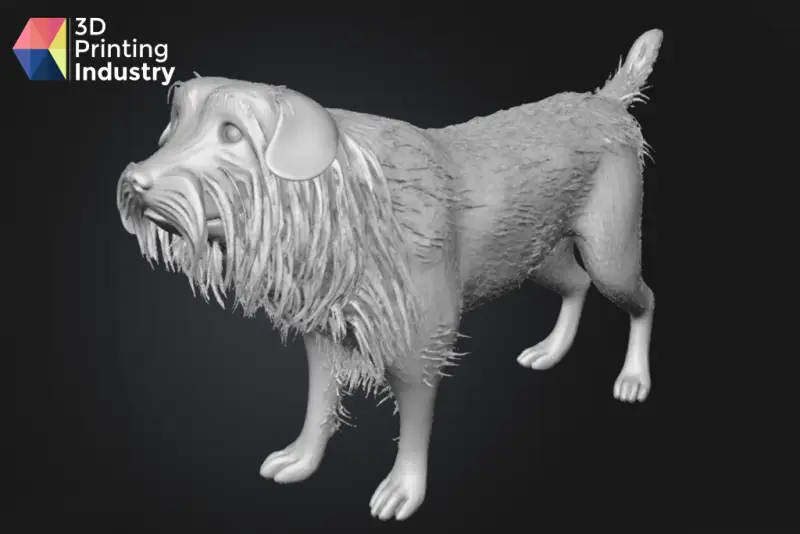
The first model tested whether the tool could add clothing and alter a pose while retaining fur and facial detail. A dog was generated from one photo with Meshy 7.1 at Ultra 2K. Its anatomy and detail were strong despite features being hidden in the reference, but the mesh exceeded the four-million-face ceiling and could not be edited. Meshy’s Remesh tool brought the face count down, but remeshed models are also excluded. The team therefore generated a second dog with Meshy 6. That version was editable, though visibly less refined.
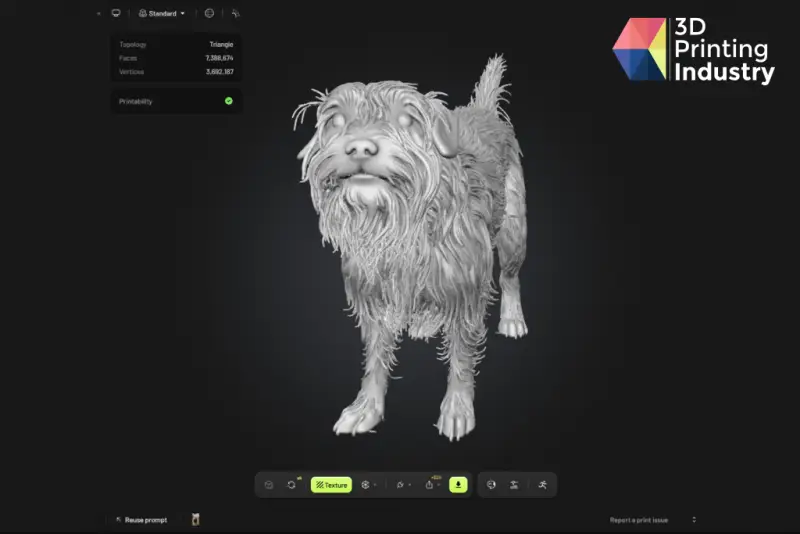
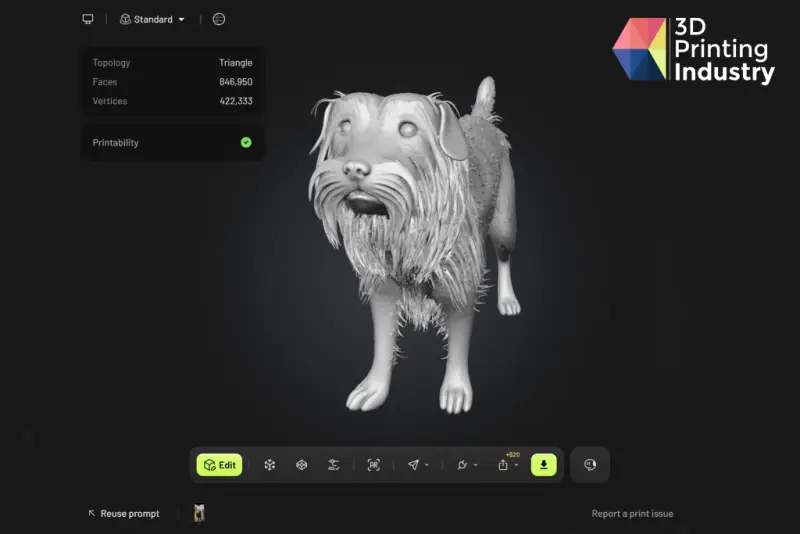
For the first change, the team selected the body while leaving the head and tail unselected, then requested a tuxedo. The selection took seconds. Meshy added the clothing and preserved the head and tail without needing an explicit instruction to do so. The main defect was a malformed bow tie.
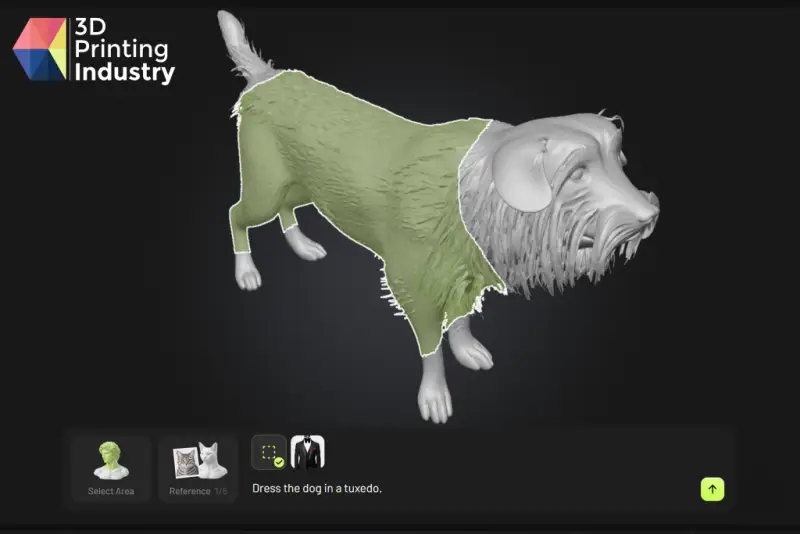
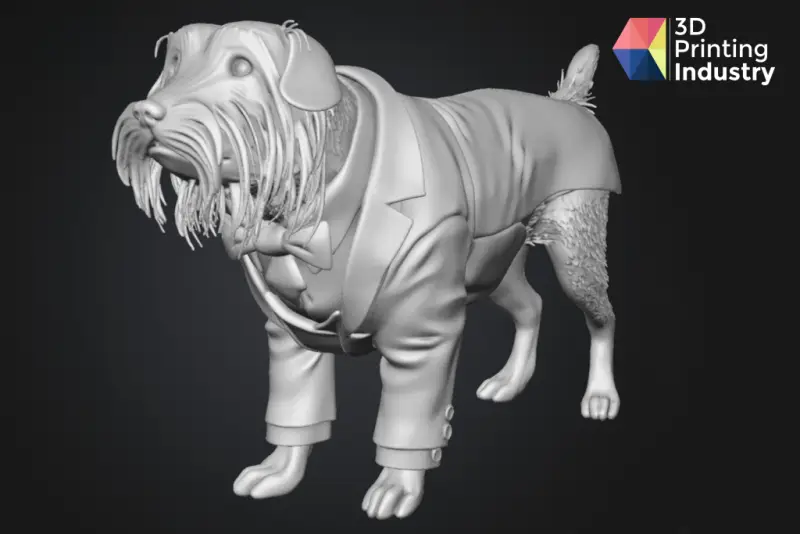
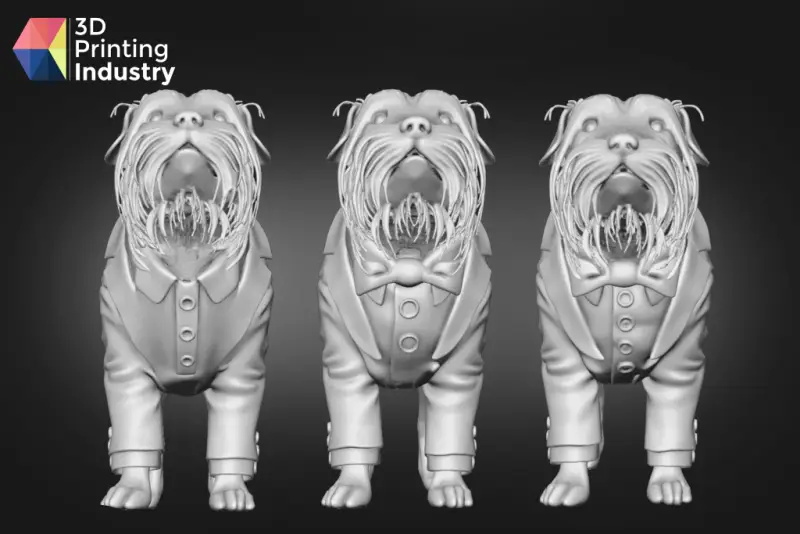
A more local change proved less predictable. The team marked part of the shirt front and asked for buttons. Several generations replaced the shirt and bow tie rather than adding buttons inside the selected area. A more specific prompt improved the outcome: it described the buttons and named the tie, jacket, fur and pose as features to preserve. The buttons then appeared in the intended location, with surrounding geometry largely intact.

That pattern was one of the clearest results from testing. The selection helps define where a change should happen, but a short prompt may not constrain the model enough. For a small edit, it can help to describe both the requested feature and nearby details that should stay unchanged.
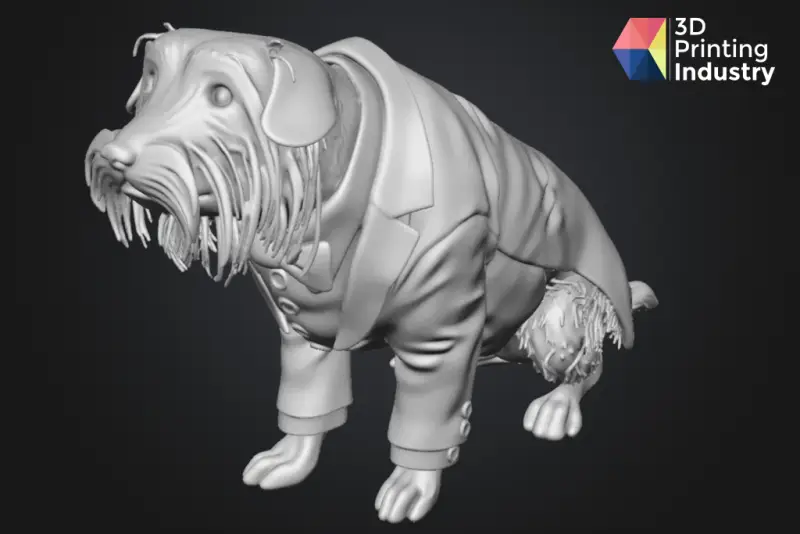
The team next selected the dog’s back, tail and paws and requested a sitting pose. Meshy produced a natural-looking change with proportions that fit the figure. The new paws and tail matched the original style, while the face, expression, fur and front of the suit remained consistent. The edit took less than a minute, a notable reduction from the time a similar anatomical change could take in manual modelling.
Texturing introduced a different set of trade-offs because editing doesn’t carry the existing texture through. When the original dog photo was used to texture the edited model, Meshy reproduced the fur, eyes and colour gradient but gave the tuxedo a fur-like finish. Adding a tuxedo reference improved the clothing, but darkened the fur and turned the shirt black. A text prompt then produced a convincing tuxedo, white shirt and red bow tie, but changed the dog’s beard, paws and eyes. Each method improved one part while compromising another. Combining reference images and a written texture prompt in one pass might help, but that combination wasn’t available in the tested workflow.
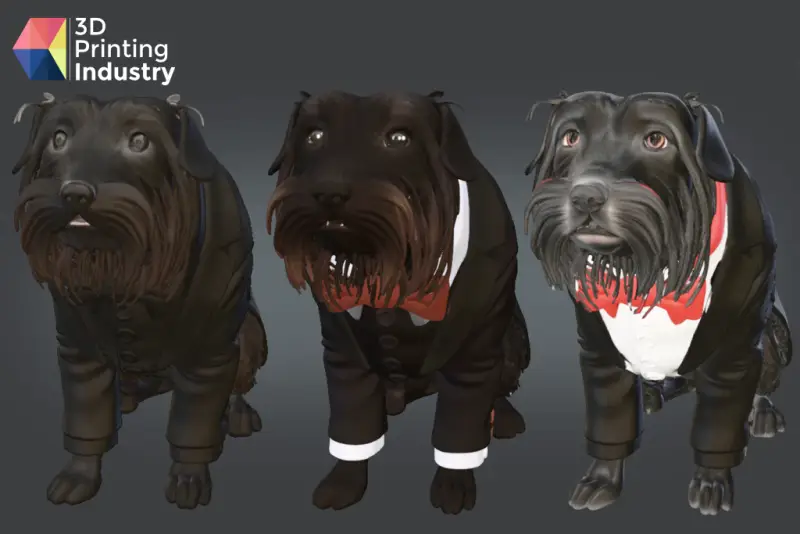
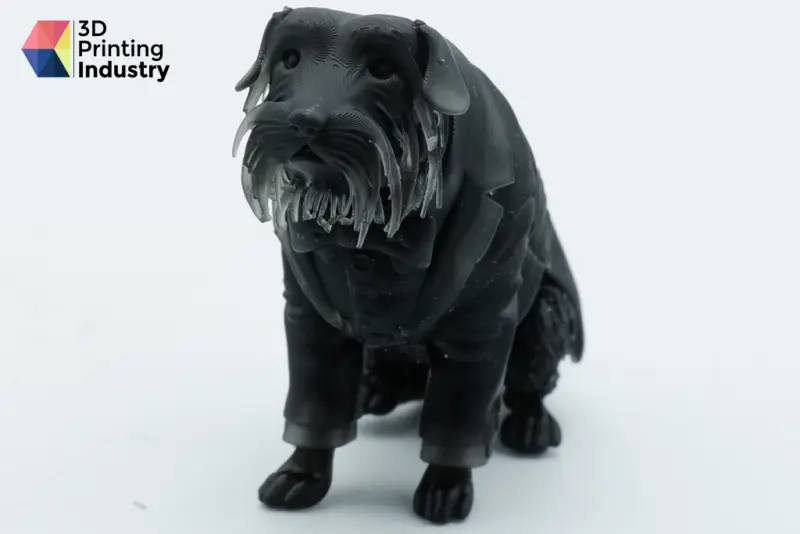
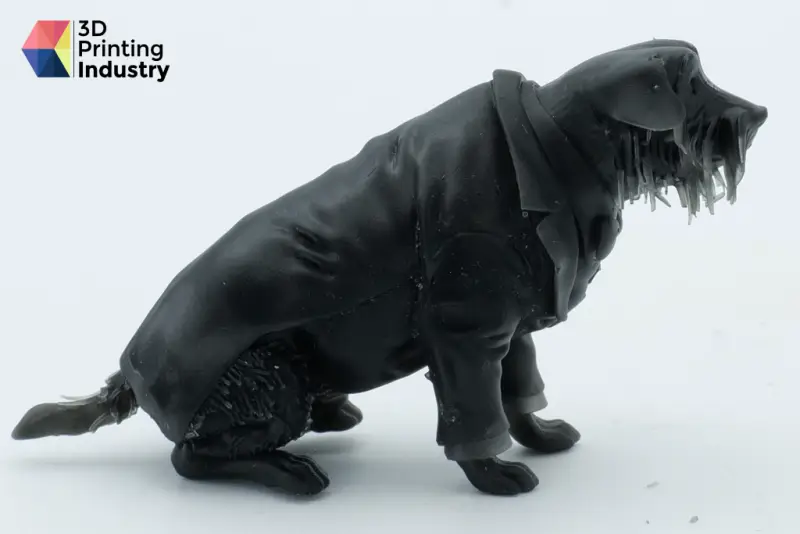
The dog was printed on a resin printer to check fine detail. The slicer identified surface errors, which its automatic repair fixed in about ten seconds without visible loss of detail. The print reproduced the edits well. Side-by-side mesh comparisons also showed that unselected areas, including the face, eyes and mouth, stayed the same through multiple edits. The boundary around a selected region shifted slightly between generations, consistent with some smoothing at the transition, but the unselected geometry was preserved reliably in this test.
Car concept: useful references, difficult multi-part changes
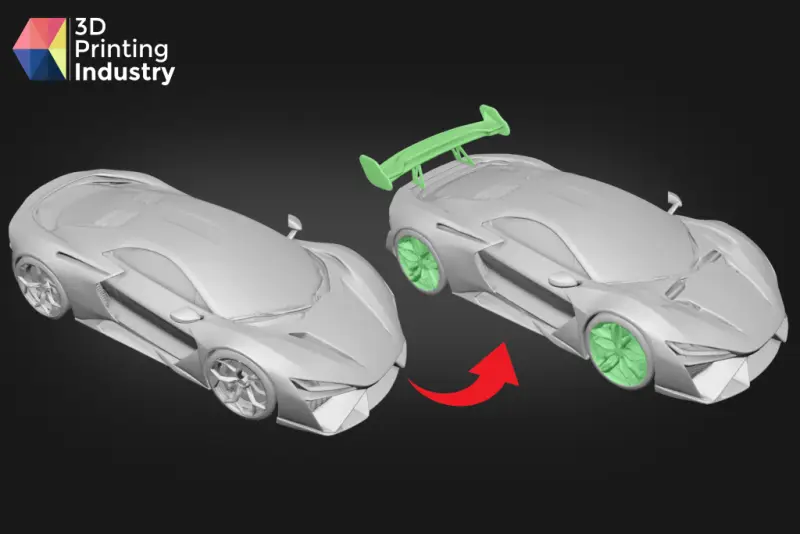
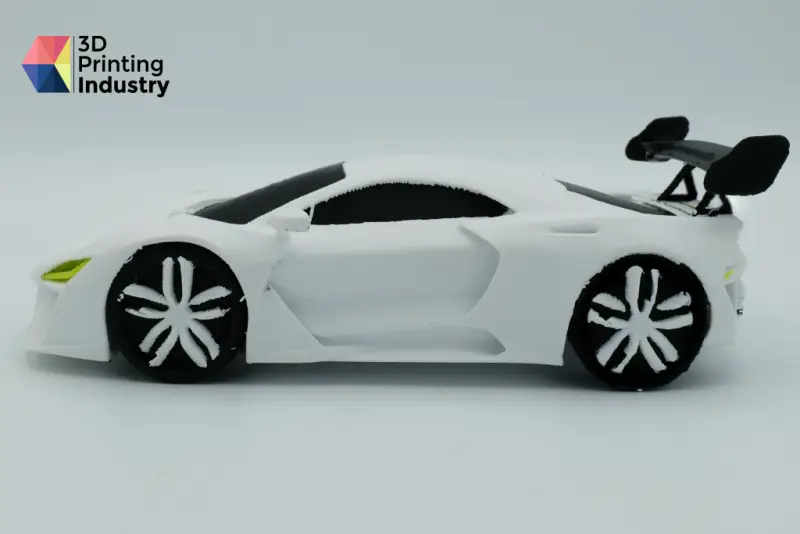
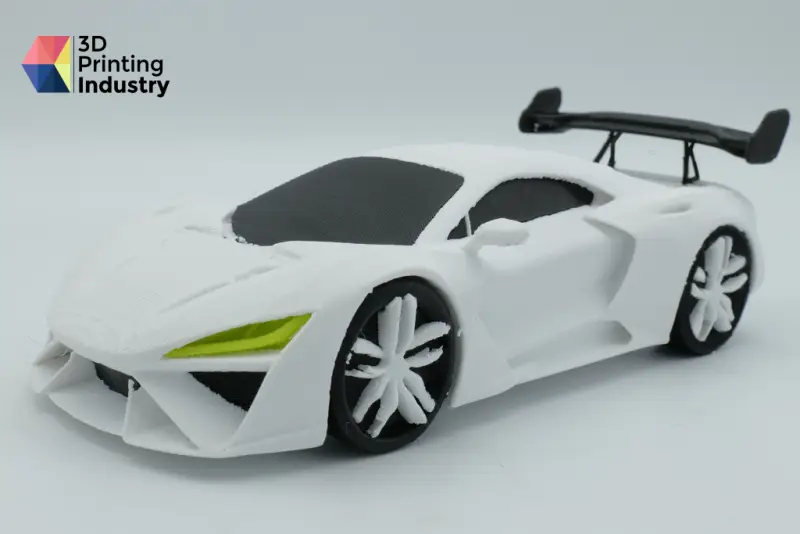
The car test examined design iteration with image references. A sports car generated in Meshy 7.1 at Ultra 2K remained below the face limit and had substantial detail. Its main visible issue was inconsistent gaps and symmetry in the wheel rims.
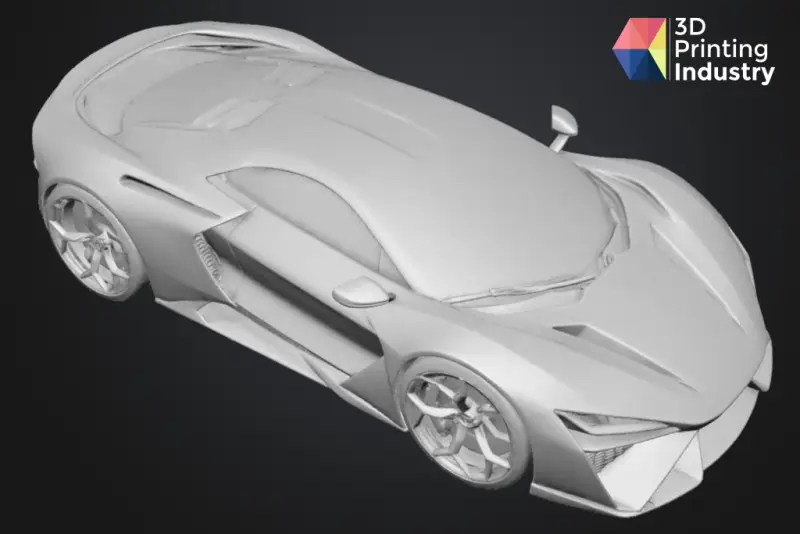
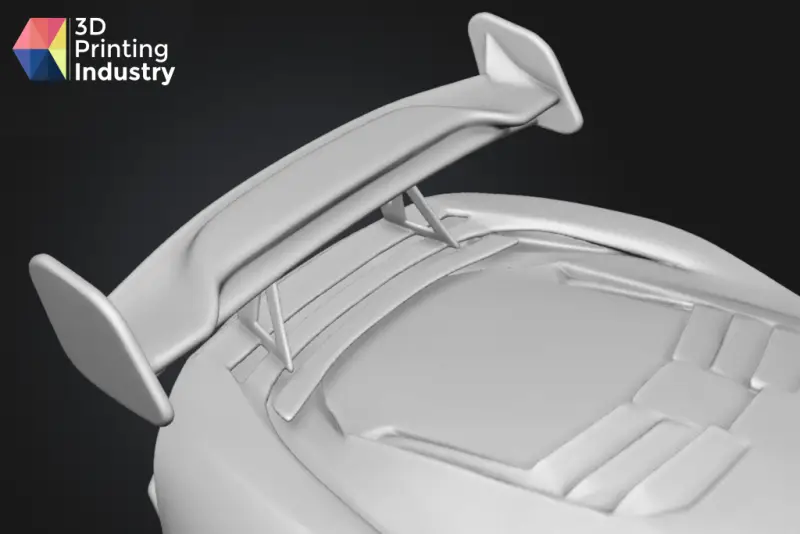
For a rear spoiler, the team loosely selected the back bodywork, attached two reference images showing the part from different angles and described the desired change. The selection took around ten seconds, and the result closely followed the references. Meshy added small body details that weren’t requested, including miniature spoilers. They suited the concept, but they illustrate that a local edit can introduce extra geometry. The connection between the main spoiler and body was also simplified, so the result worked better as a visual concept than as a finished engineered joint.
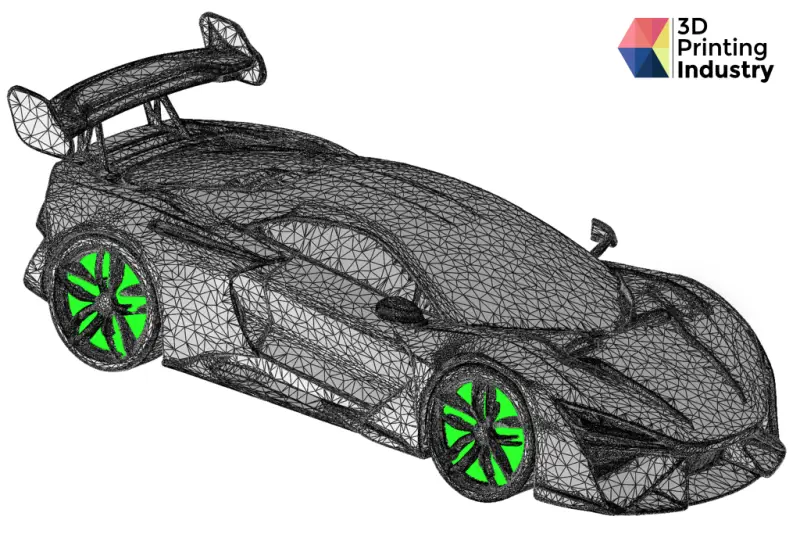
Replacing all four rims at once was much harder. The team had to select each rim carefully with Lasso and Lasso Eraser, then provide three reference images and a detailed description. The first seven results made changes well beyond the selected areas; some no longer read clearly as the same car. The eighth generation produced usable rims that resembled the references, although gaps and imperfections remained. Because the interface gave no diagnosis of why a generation failed, the practical response was to adjust the prompt or selection and spend credits on another attempt.
In these tests, several simultaneous selections were the least reliable case. Meshy’s own guidance points to simpler edits, such as replacing worn accessories like hats or glasses, as more consistent applications.
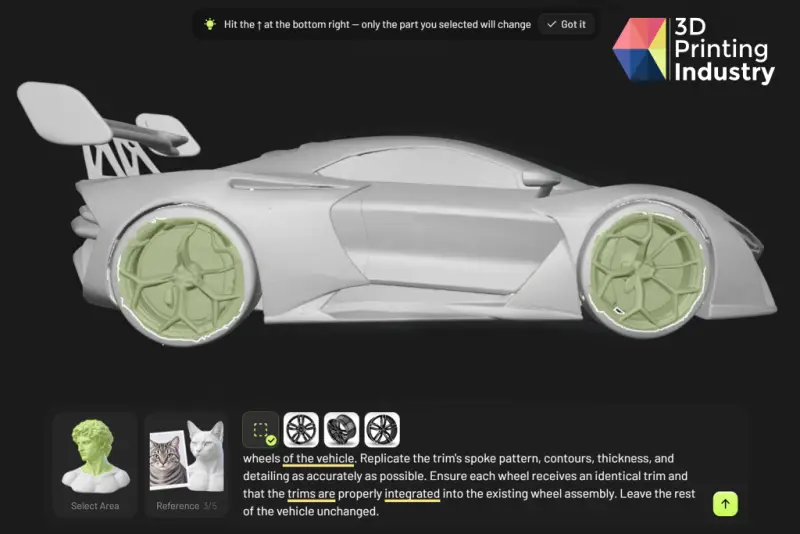
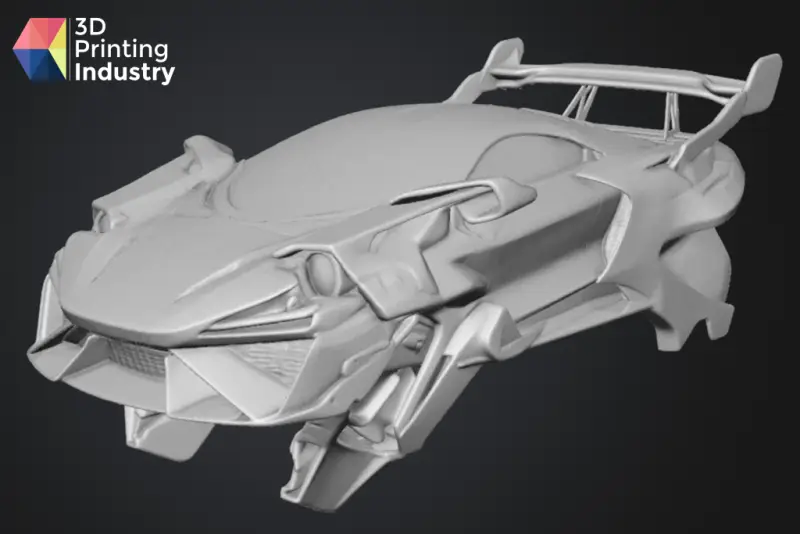
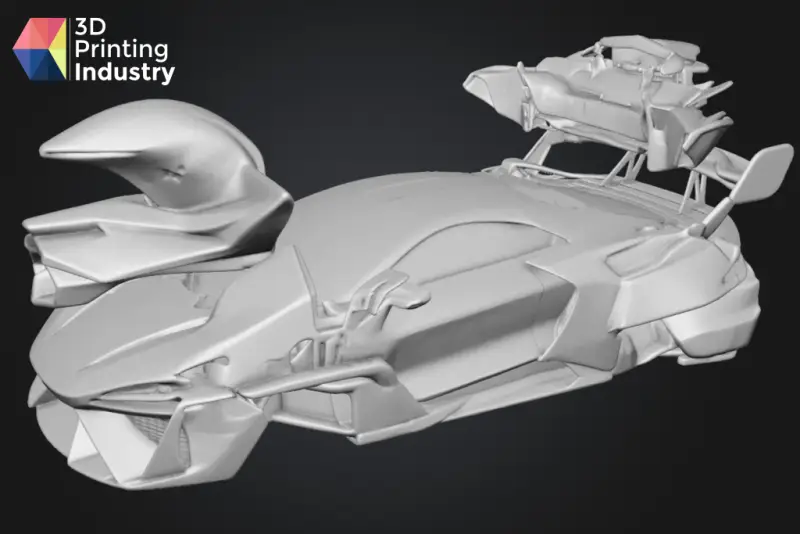
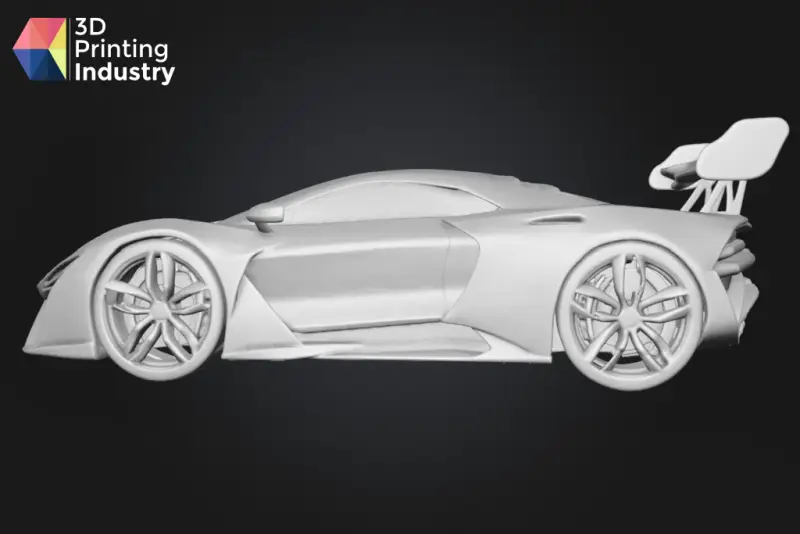
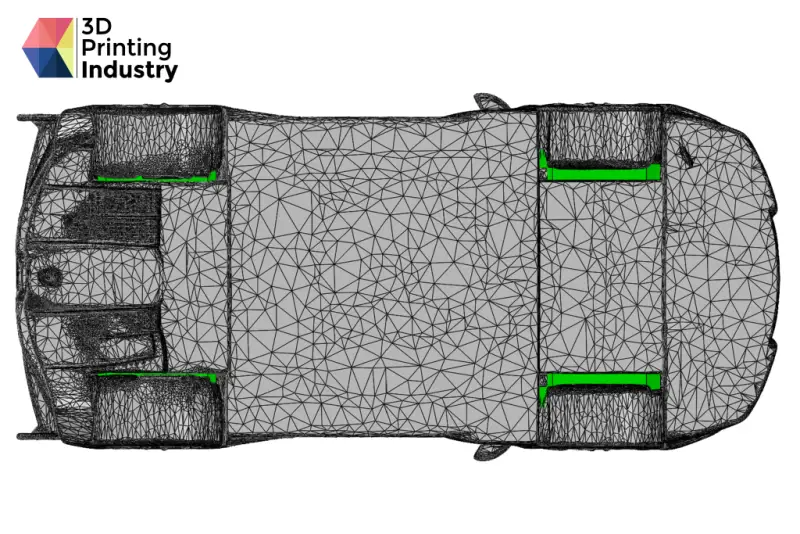
Print preparation revealed the car’s most consequential defect: the wheels weren’t connected to the body, so the model couldn’t print as one part. The team selected the tyres and chassis and requested cylindrical axles or supports between each wheel hub and the body. Sixteen attempts with different prompts and selections failed to produce a usable connection.
The fix was made in CAD software. That was straightforward for a user with engineering experience, but it also highlighted a workflow gap. A model edited outside Meshy can’t be brought back into Meshy Edit, so manual corrections need to happen at the end. Users who lack CAD access or the skills to make a connection may not have a similar fallback.
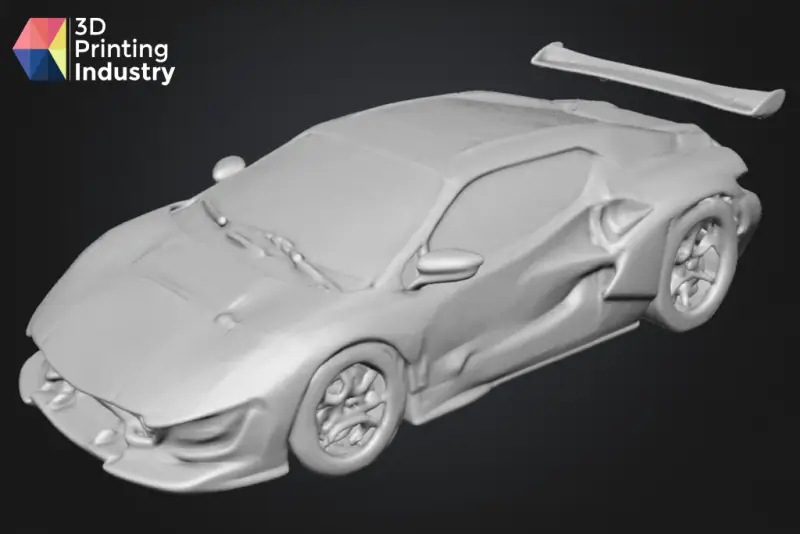
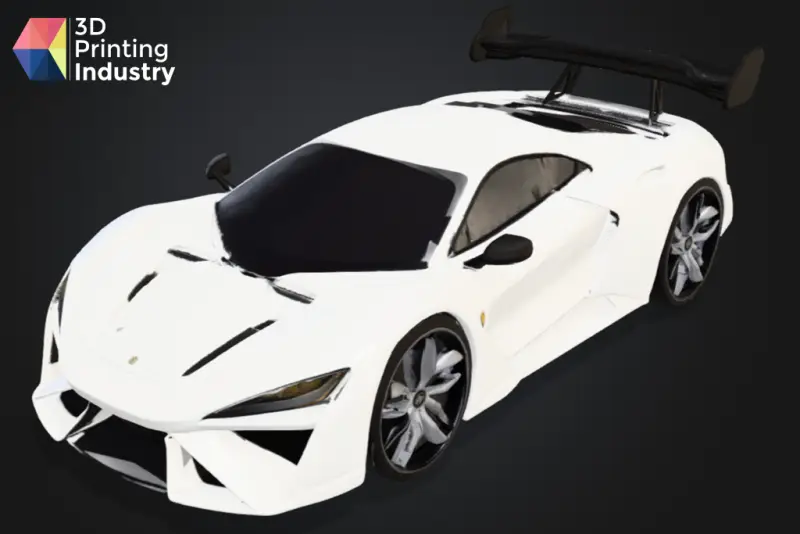
Texturing the car worked better than texturing the dog. The spoiler and rims took on colours and a style that fitted the existing reference. Meshy’s slicer export carried those colours into a multicolour print, which completed without failures, surface errors or major defects. For concept development, that path from edited geometry to a physical colour model required little manual work after the wheel connection was addressed.

Ghoul miniature: complex edits can work, with retries
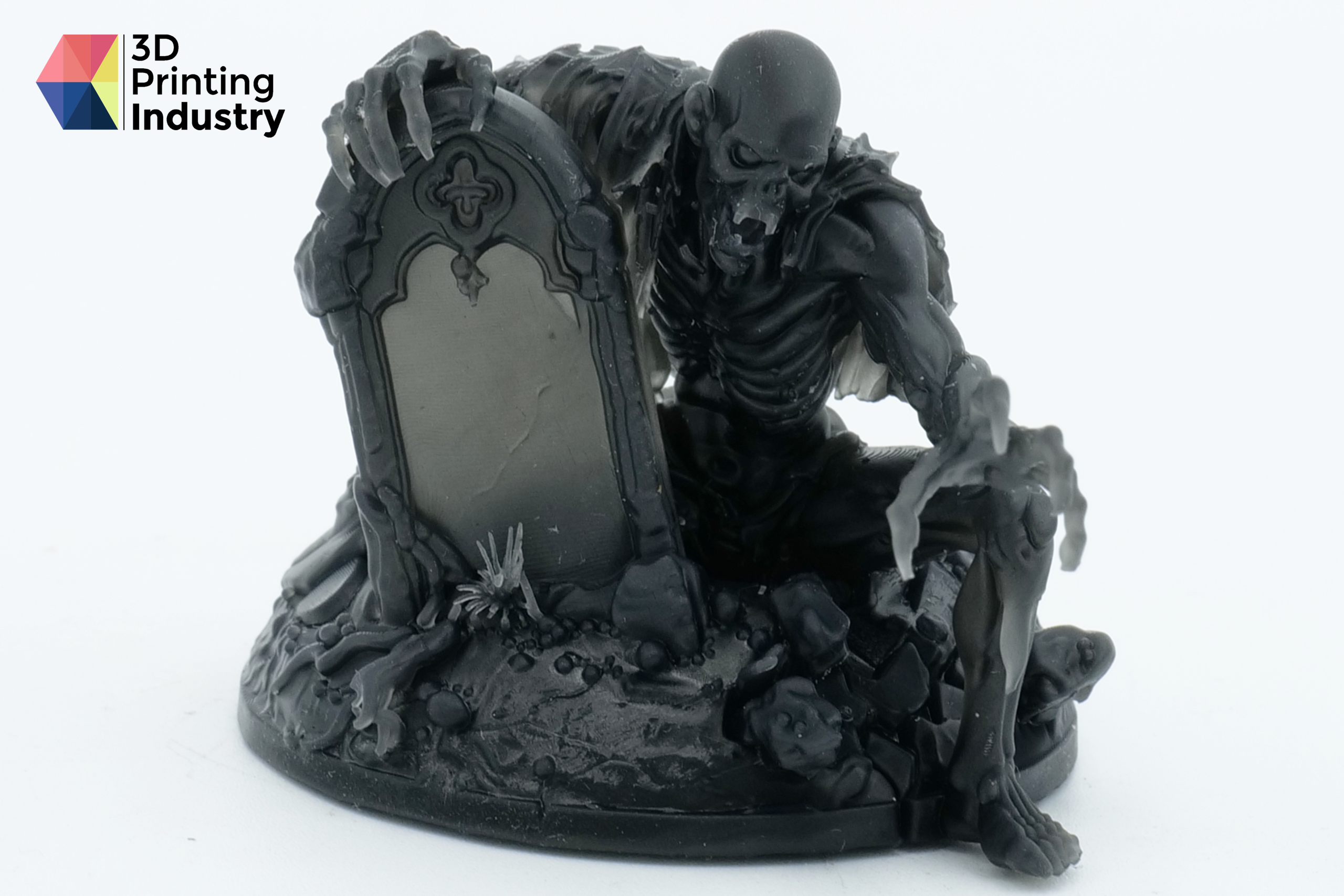
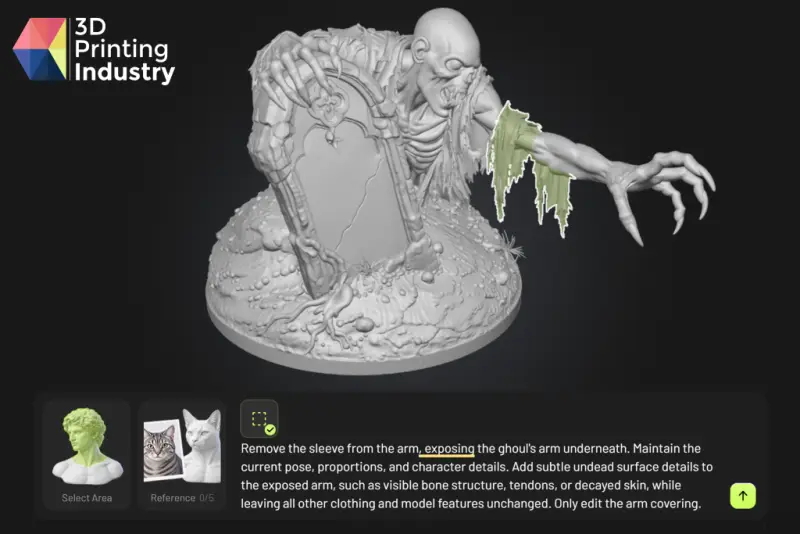
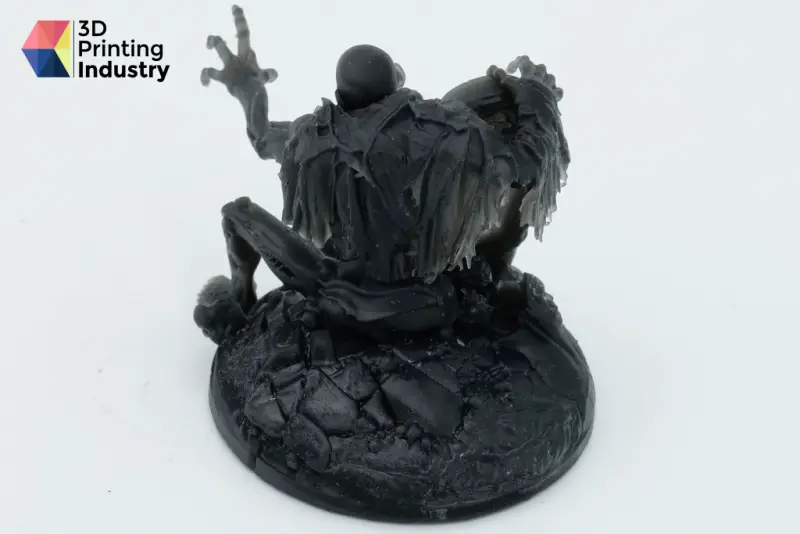
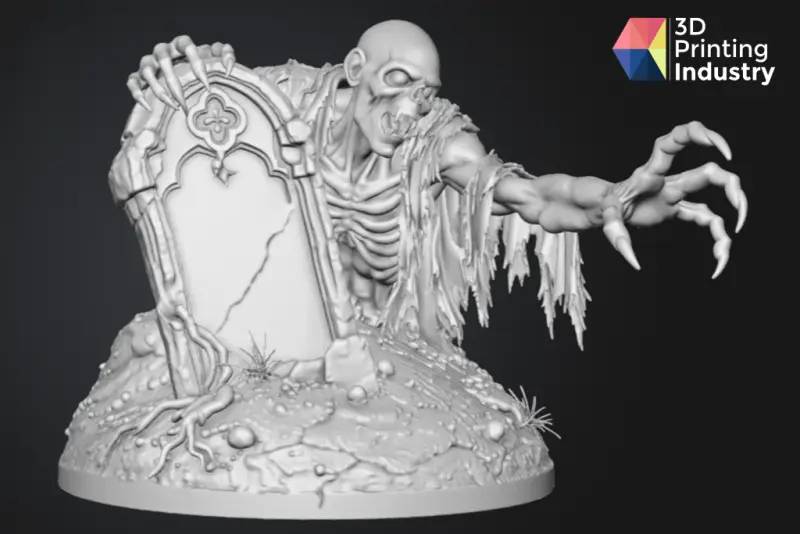
The most demanding model was a ghoul climbing out of a grave. Generated in Meshy 7.1 at Ultra 2K with Meshy’s AI agent, it had more than 2.4 million faces and was the most detailed asset in the tests. The first edit removed a loose sleeve from the figure’s outstretched arm. Meshy removed it cleanly while retaining the arm’s pose and style, with a smooth transition between the revised and existing geometry. A small amount of clothing on the shoulder, outside the marked area, shifted back slightly.
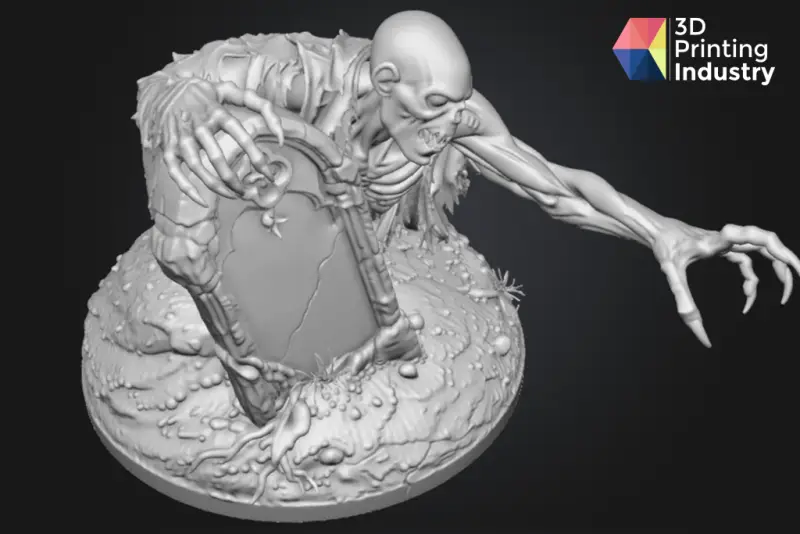
The next edit changed the lower torso and ground so the ghoul would appear to climb out of its grave, with one leg stepping toward the edge. A broad selection gave Meshy room to rebuild the area. Several early attempts regenerated the whole figure, echoing the car’s trouble with broad and multi-region edits. The seventh result was close to the intended design: the ground had richer detail, the new leg looked anatomically plausible, and the upper body remained intact.
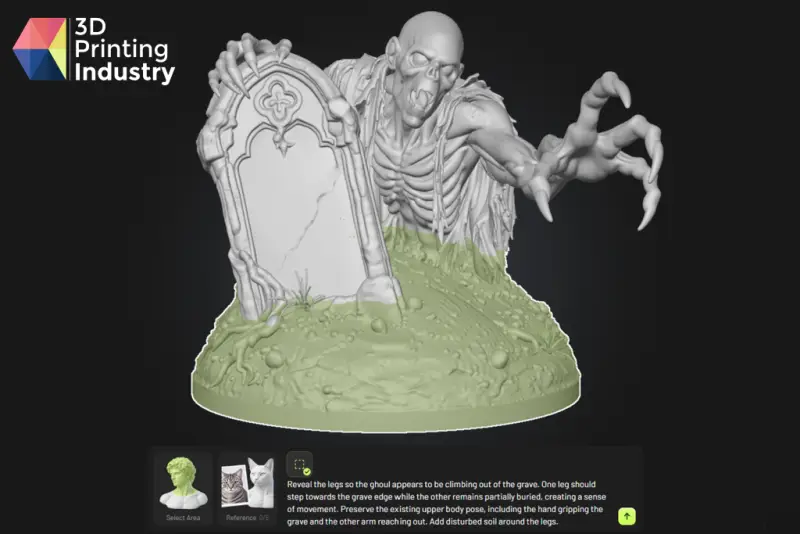
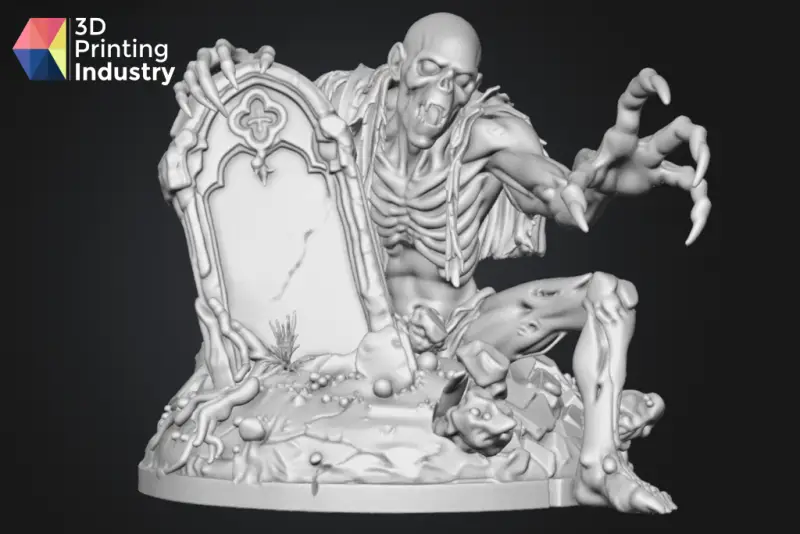
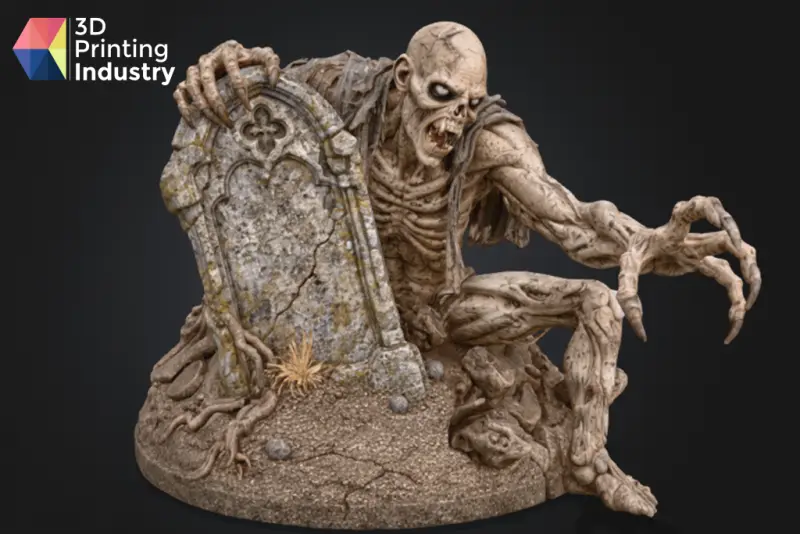
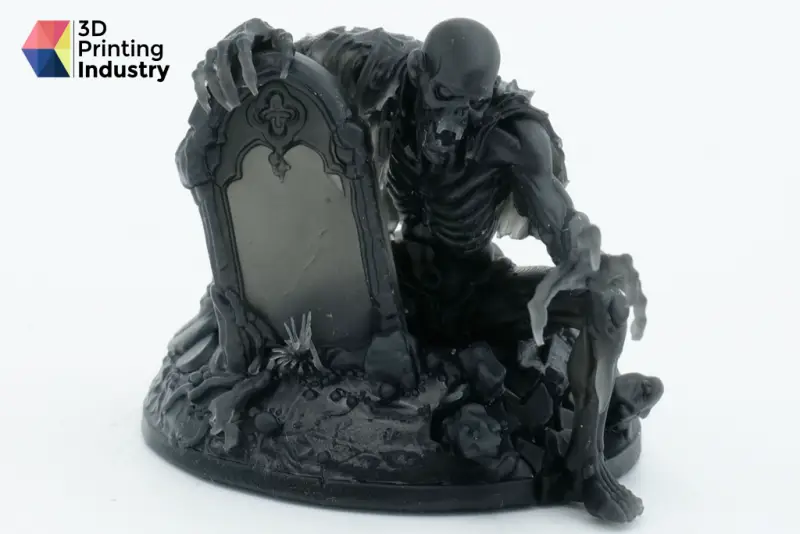
Texturing from the original reference image gave clear separation between skin, clothing and soil. The resin print needed no repair and retained detail across both original and edited areas. Of the three physical models, this was the strongest result.

What the print tests show
Across three models and dozens of edits, the dog needed a quick automatic surface repair, while the car needed a manual connection between its wheels and body. Other edited surfaces printed cleanly on resin and multicolour FFF machines. That’s useful evidence that these results can go beyond a convincing render, although it doesn’t mean every generated model will be ready to print without inspection or correction.
Meshy also offers a free 3D print files library with downloadable models and other common 3D formats. Users can filter by file type and intended use.
Where Meshy Edit fits
Meshy Edit is most useful when the model is already close and the requested change is clear: add clothing, alter a pose, remove a loose feature or develop a visual concept from reference images. In those cases, the tool can reduce work that might otherwise require manual mesh editing. The dog’s tuxedo and seated pose, along with the ghoul’s new leg, show what it can do. The printed results also demonstrate that successful edits can retain enough surface detail for physical models.
Precision still depends on iteration. A selection is a guide, not a guarantee that every change will stay inside its boundary. Detailed prompts that state what to alter and what to preserve performed better than short instructions on small selections. Since the prompt limit is 600 characters and isn’t shown, users must also keep track of what the system actually receives.
Complex edits can consume time and credits. Multiple selections were inconsistent, the car’s wheel attachment failed through 16 attempts, and the ghoul’s larger change took seven generations to reach a strong result. Each edit includes up to four regeneration attempts, but repeated runs can still add up, particularly on lower-tier plans. The system would be easier to use if it explained failed results and showed several candidate versions together.
There’s also a workflow constraint: imported models can’t be edited, and models changed elsewhere can’t be returned to Meshy Edit. A CAD correction may therefore need to be the final step. The four-million-face maximum, exclusion of remeshed models and lack of texture editing further narrow the situations it handles well.
For people already making assets in Meshy, especially hobbyists and designers preparing 3D prints, the feature is worth trying. It’s quick and approachable, and the best results are strong enough to move from screen to printer. Treat it as a fast way to explore and make local changes, while reserving CAD for exact structural connections and planning for retries when an edit involves several regions or a complex shape.
Meshy Edit specifications
| Feature | Details |
|---|---|
| Developer | Meshy |
| Release date | October 16, 2026 |
| Availability | Registered users on all subscription tiers |
| Cost | 20 credits per edit, including up to four regeneration attempts; Meshy says credits are refunded for technical failures |
| Supported models | High-poly models generated with Meshy 6 and Meshy 7.1, up to Ultra 2K |
| Face limit | Four million faces |
| Unsupported models | Ultra 4K, low-poly, older Meshy versions, uploaded, remeshed, split, rigged and animated models |
| Edit scope | Geometry only; textured models revert to an untextured state for editing |
| Selection tools | Lasso, Brush, Lasso Eraser, Eraser and Clear All |
| Prompt input | Text up to 600 characters, plus up to five optional reference images |
| Typical generation time | About one minute |
| Output | A new model while preserving the original; download or send to supported slicers |