Acumatica and SharePoint Integration Connects ERP Records to Project Documents
- Rafael Rejuso
- 685 reads
DMC connects Acumatica workflows with SharePoint workspaces, carrying documents and project context from lead qualification through delivery.
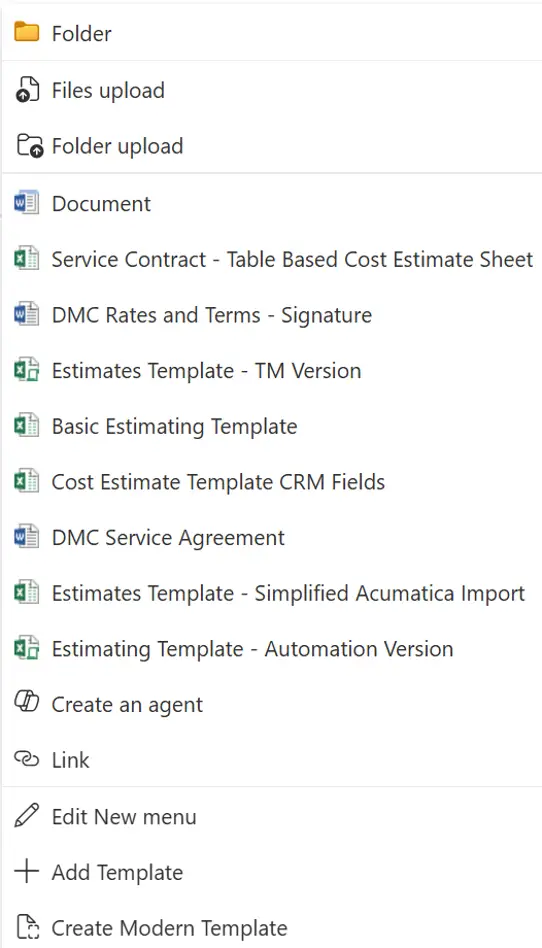
Connecting Acumatica with SharePoint can make documents part of the same business workflow as the customer, opportunity and project records they support. DMC’s implementation links its ERP and CRM processes in Acumatica with document management and collaboration in SharePoint Online, then extends that connection through Microsoft 365 tools.
The design assigns each platform a clear role. Acumatica manages structured business processes; SharePoint holds and organizes working documents. Automation and shared data connect them, so employees can move through the sales and project lifecycle without repeatedly setting up folders or searching across disconnected systems.
Carry the workflow through three stages
DMC organizes its sales lifecycle around leads, opportunities and projects. Each stage brings different information and collaboration needs, but the transition between them should preserve useful context. The integration is built around those transitions rather than around a requirement to make one platform handle every task.
Leads can enter Acumatica through several routes. One is Sales Buddy, DMC’s internal AI tool, which monitors relevant emails and can create leads in Acumatica. Once a lead qualifies as an opportunity, teams begin gathering requirements, preparing estimates and sharing materials with a prospective client.
At that point, the integration creates a standardized SharePoint environment for the opportunity. Employees don’t have to create a site, configure document libraries and remember naming rules by hand. The workspace is ready for collaboration, with a consistent structure built into the process.
That design choice matters because written procedures depend on people remembering each setup step. Automating the setup makes the expected structure repeatable while reducing the extra work required to follow it.
Make documents part of opportunity work
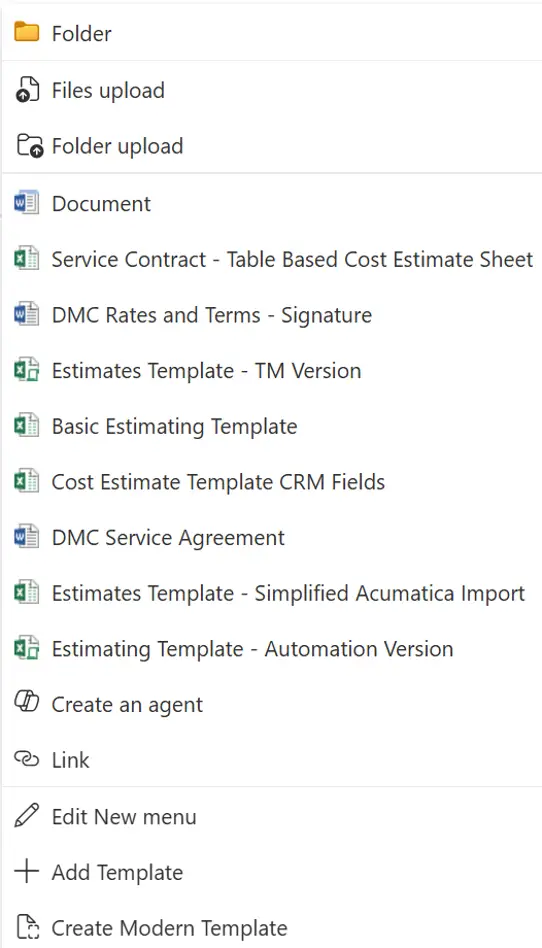
During the opportunity stage, SharePoint serves as a shared workspace for estimates, design information, meeting recordings and service agreements. DMC uses document libraries and content types to provide a common structure while allowing for the different estimating and documentation needs of its teams.
A link between an ERP record and a document repository helps employees locate information. DMC’s approach goes further by connecting business events to document processes. For example, when estimates are finalized, the scope is sufficiently defined, and the task list and budget have been updated in Acumatica, a Project Quote can be created.
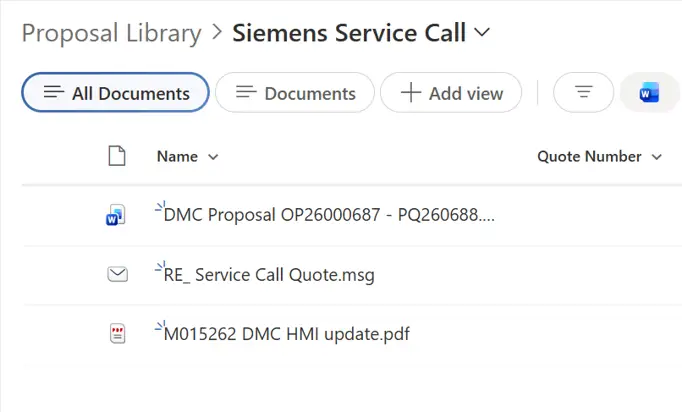
That event triggers creation of a proposal document in the appropriate SharePoint library, alongside supporting material collected during discussions with the client. The proposal can then be prepared for client review. Documents stay with the work they support, while the business information that drives the process remains in Acumatica.
Turn accepted work into a project workspace
When a proposal is accepted and a purchase order is received, the process shifts from selling the work to delivering it. The signed proposal is retained in the relevant SharePoint library. Once required customer and project information is complete, the opportunity can be marked as won in Acumatica.
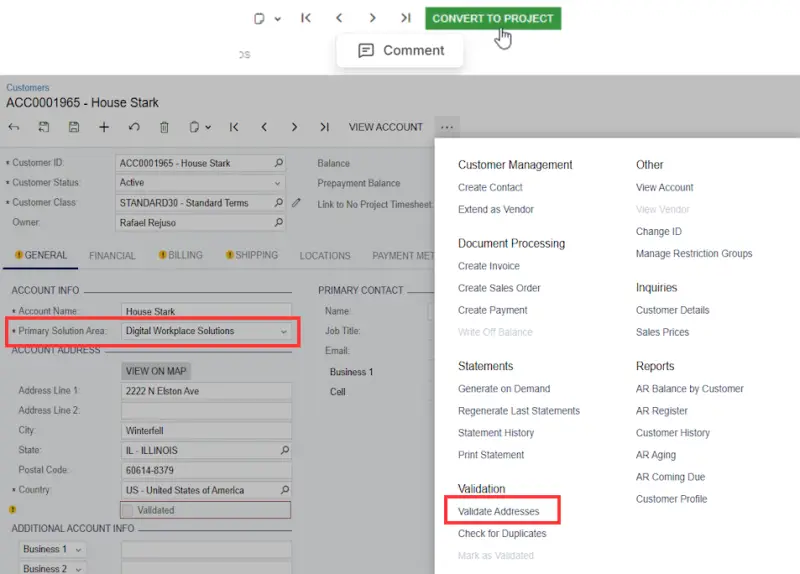
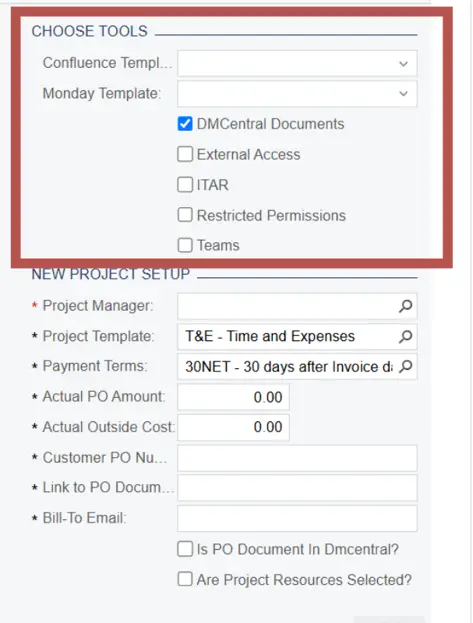
Information recorded in Acumatica can support downstream work, including tasks handled by DMC’s Accounting team. During project creation, users can also choose which external resources to provision. Selecting DMCentral Documents, DMC’s SharePoint environment, creates a standard project workspace and document repository.
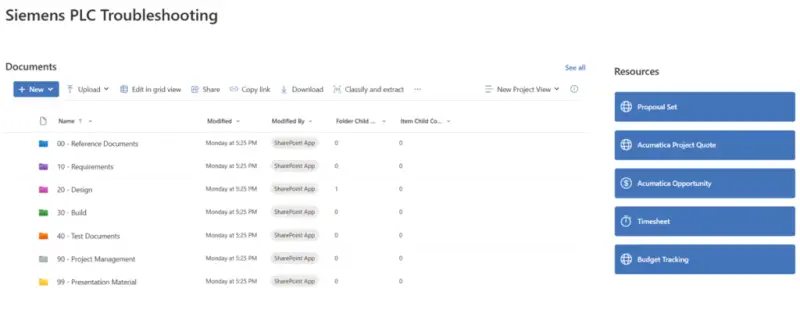
Because the repository runs on SharePoint, team members can synchronize appropriate document libraries with their Windows desktops when that suits their workflow. The project environment also links back to relevant Acumatica records, including the quote, opportunity and timesheet. Those links give employees a route between documents and structured business data without losing the project context.
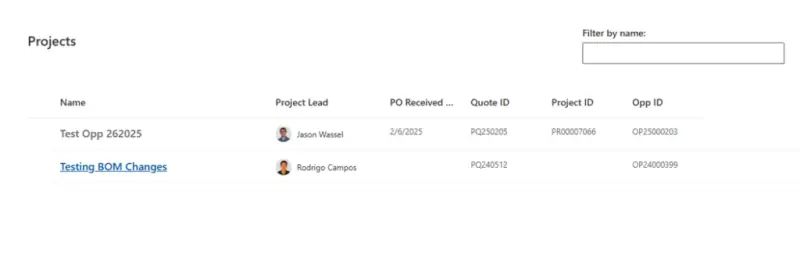
For clients with multiple projects, a custom SharePoint Framework (SPFx) web part displays their projects in one view, organized by date and linked to the related Acumatica records.
What supports the connection
Acumatica customizations, including forms and scripted actions, let events in the ERP start processes elsewhere in the connected environment. A central SharePoint integration list stores information shared between the systems and provides a common lookup point. That data can also feed Power BI reports, Power Automate flows and custom SPFx components, while Acumatica maintains its connection as projects progress.
Power Automate handles processes such as internal notifications and setup tasks triggered when integration data changes. This moves routine coordination into repeatable flows instead of relying on manual follow-up. Custom SPFx web parts improve navigation among client information, project sites and Acumatica records. SharePoint ListView Customizers add functions such as more efficient check-in and check-out of multiple folders.
Templates and content types help keep documents consistent as well as sites. DMC uses content type publishing to make suitable templates available in newly created environments. Versioning, approvals and check-in/check-out functions help manage changes to shared resources over time.
Scripts, PnP PowerShell and site templates create standardized SharePoint environments that connect dynamically to the relevant Acumatica information. Each project gets a familiar workspace while retaining its own details. SharePoint’s document lifecycle features also provide version history and a way to manage documents as they change.
Design around the work people do
DMC’s implementation began with a practical need: keep documents connected to the customers, opportunities and projects they support. The larger design principle is to let specialized systems handle their respective jobs, then connect the data and processes where employees move between them.
That can reduce the number of setup steps people must remember and make handoffs more consistent. Acumatica continues to manage ERP and CRM records, while SharePoint provides document collaboration and management. Power Automate, Power BI and SPFx extend the connected workflow as business needs call for them.
The useful measure of this kind of integration is how well it supports the actual process: whether a workspace appears when needed, whether the right documents stay connected to the right records, and whether employees can move from opportunity work into project delivery with less repeated setup.