Extending FactoryTalk Optix with C# NetLogic and .NET
- Pruitt Urbanczyk
- 611 reads
FactoryTalk Optix NetLogic connects C# code to project nodes, event-driven methods, design-time automation and background tasks.
FactoryTalk Optix’s .NET integration gives automation developers a way to extend SCADA applications with C# code, from small runtime actions to larger backend functions. The practical hinge is the relationship between NetLogic scripts and Optix’s information model: code can find and work with project objects through their nodes, while project events can trigger methods and background tasks can handle longer operations.
NetSolution and the information model
An Optix project’s NetSolution is a browsable C# project containing its custom NetLogic code. Its files live in the project’s ProjectFiles folder, and scripts can be created and opened from the Optix Studio project view.
Optix organizes project elements using a node structure specified by OPC UA. Nodes carry attributes, including a NodeId and BrowseName, that scripts can use to identify and access objects at design time or during runtime. This means a C# method can work with a motor model or another project object through the information model rather than treating it as an unrelated external resource.
Linking a project object to NetLogic
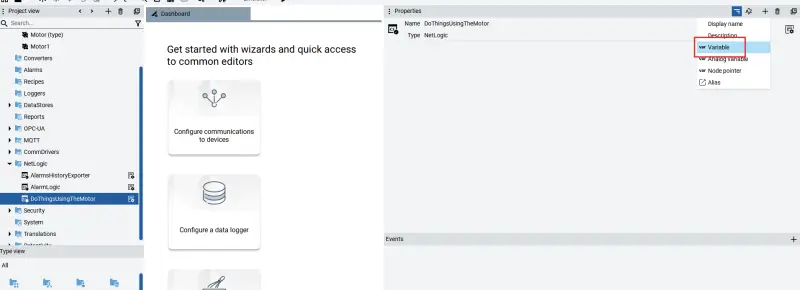
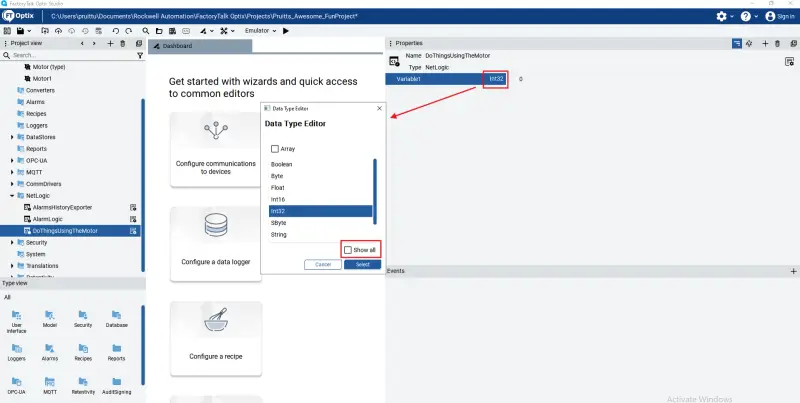
One way to make a node accessible to a script is to add a child variable to the NetLogic object and link that variable to the target node’s NodeId. For example, a script named DoThingsUsingTheMotor can receive a reference to a motor object through a child variable.
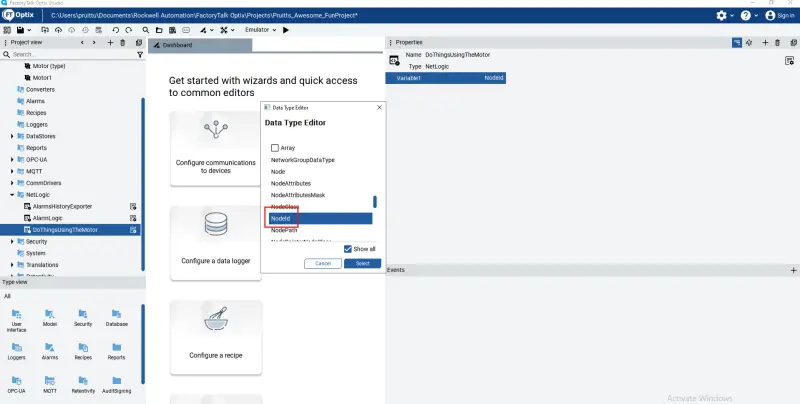
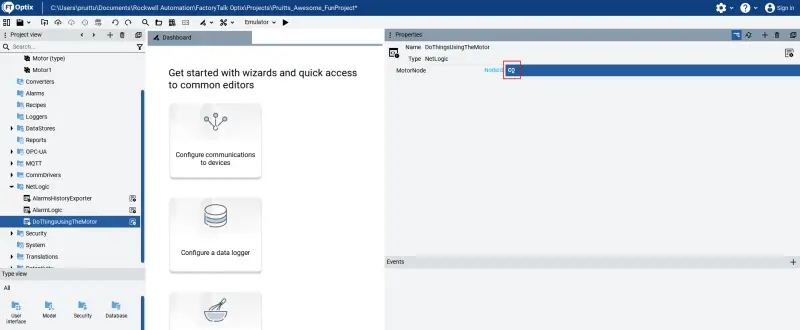
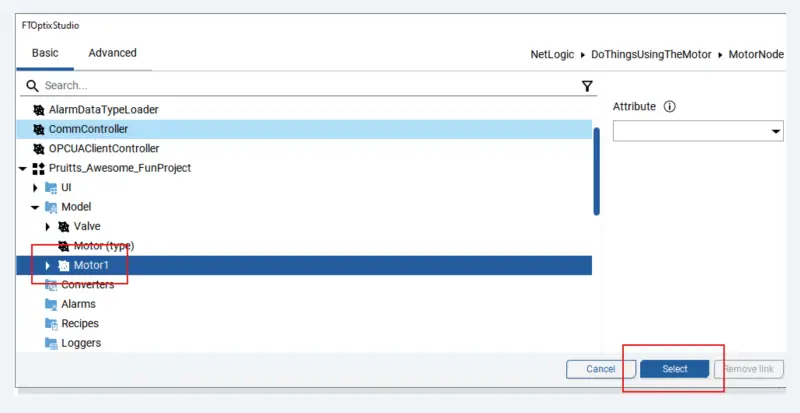
In Studio, create a variable on the script object, open its data type editor, and choose “Show All” to browse the available types. Select NodeId, rename the variable to MotorNode, then use the dynamic link control to select the motor in the project.
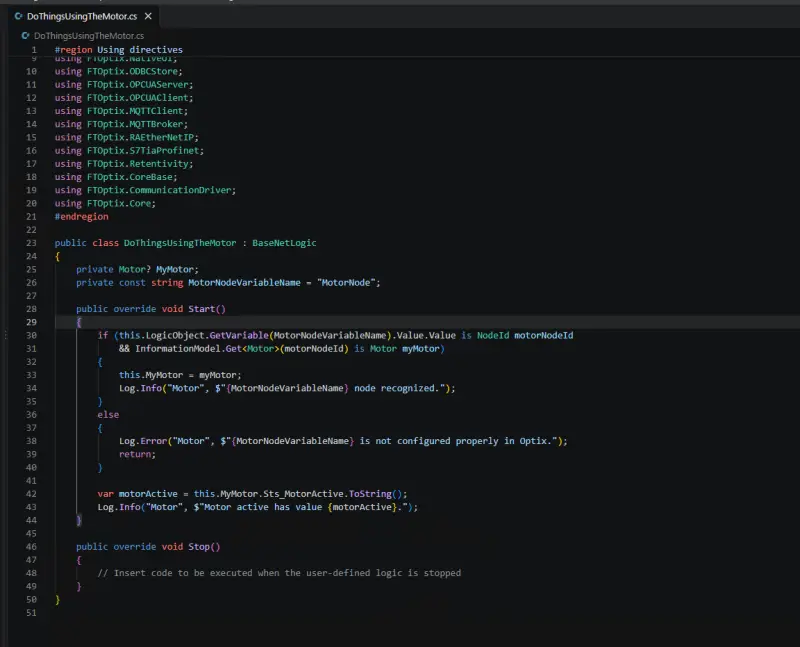
The script can then read the NodeId from its LogicObject, resolve the corresponding motor through the information model, and access a value such as Sts_MotorActive. The example logs that status, illustrating the basic path from a Studio object to data used by C# code.
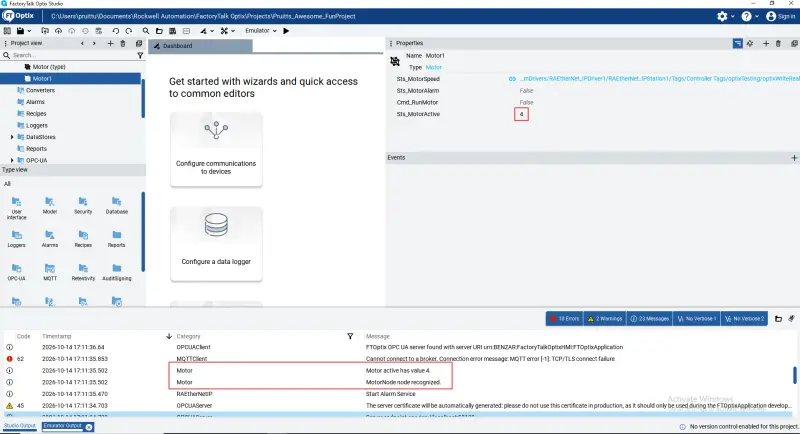
Runtime methods and project events
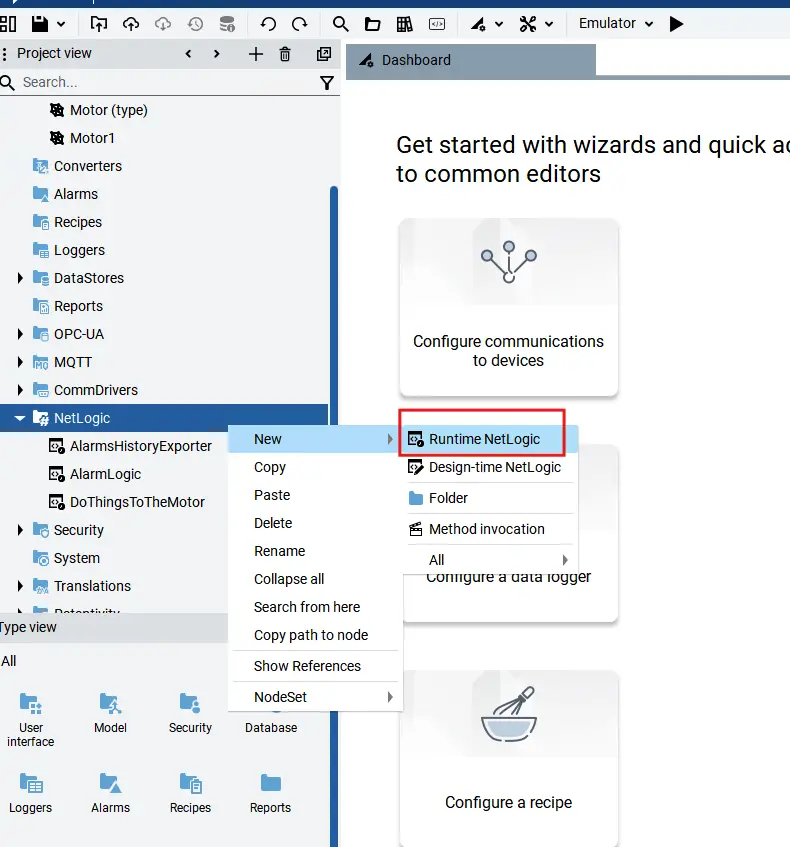
Runtime NetLogic is C# code that runs while the Optix project is active. It can support tasks such as database queries, PLC reads and writes, and reporting. Depending on the application, developers can use individual scripts or organize the code as a larger .NET backend.
Runtime scripts normally include Start and Stop methods, called when the associated node activates and deactivates, typically around project startup and shutdown. The startup method suits quick setup, such as initializing classes or creating tasks. These methods execute sequentially, so slow work in one can hold up the others.
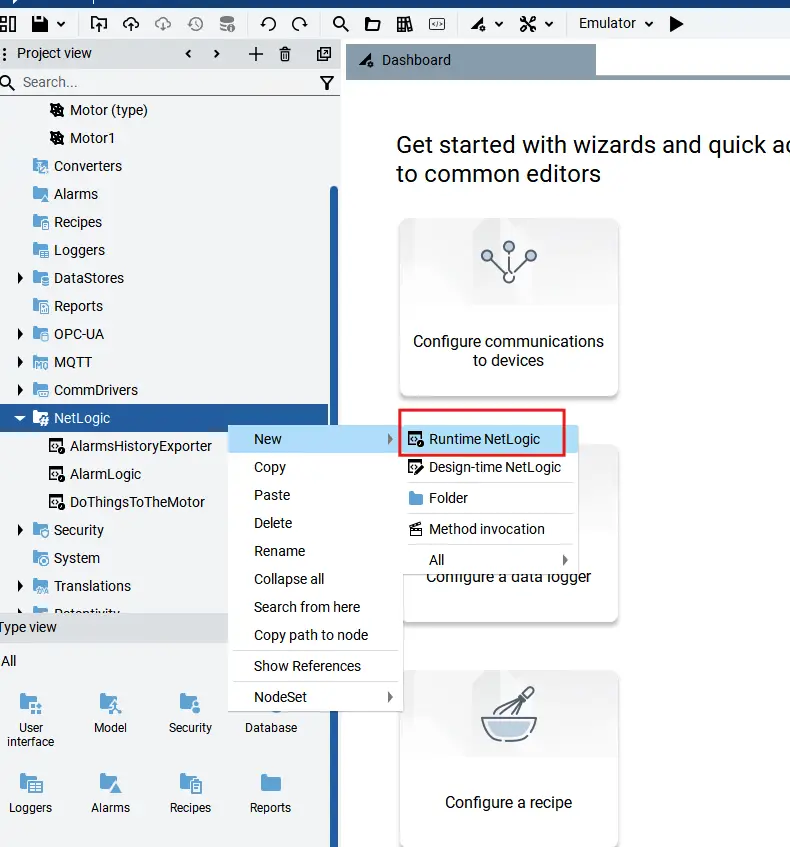
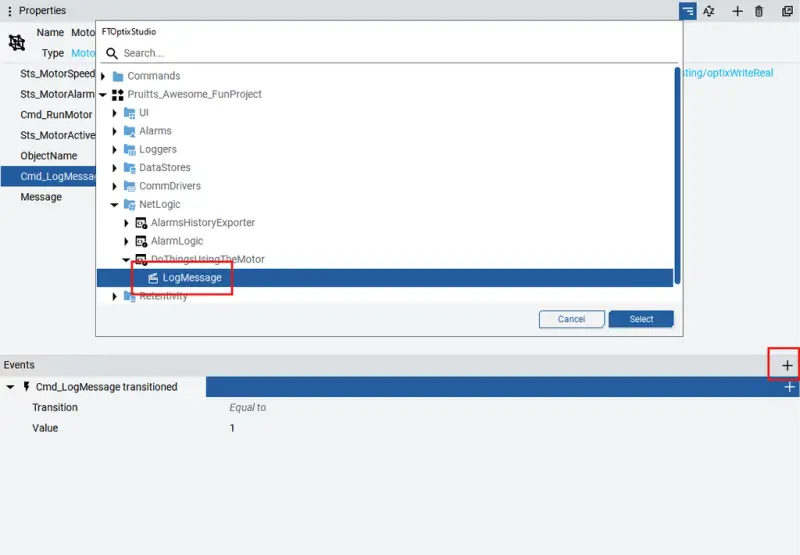
For actions that need to be callable from the Optix project, developers can create an export method. Export methods are public C# methods exposed in the Studio interface and can be tied to events such as a variable change, mouse input, or user login. Create one by right-clicking the NetLogic in Studio and choosing New > Method; Studio opens the script and adds the [ExportMethod] attribute.
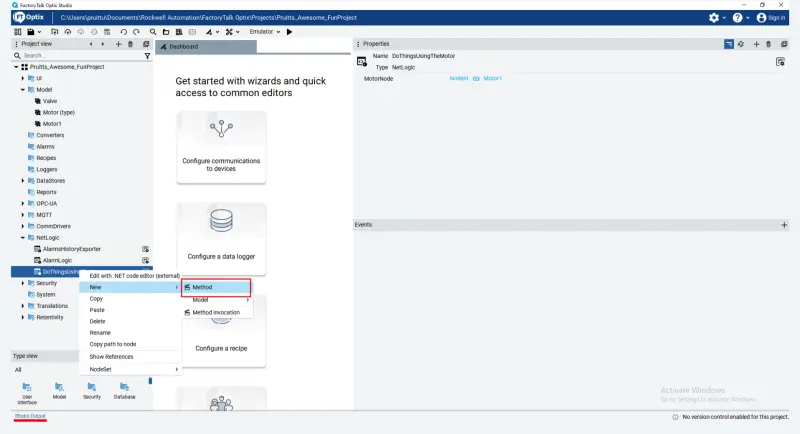
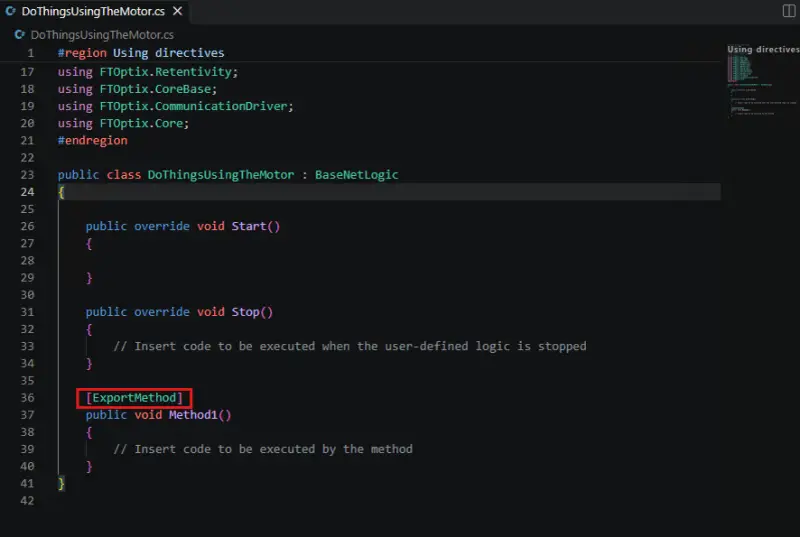
Create export methods through the Studio interface. A method added manually to a script may not appear in the interface right away. Once Studio has created it, the developer can rename it and add parameters.
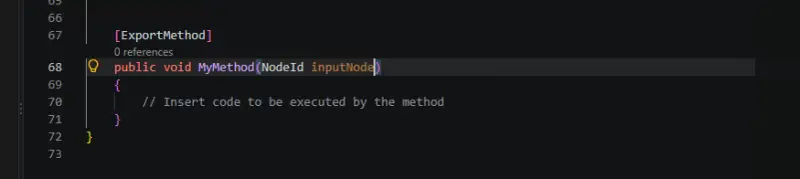
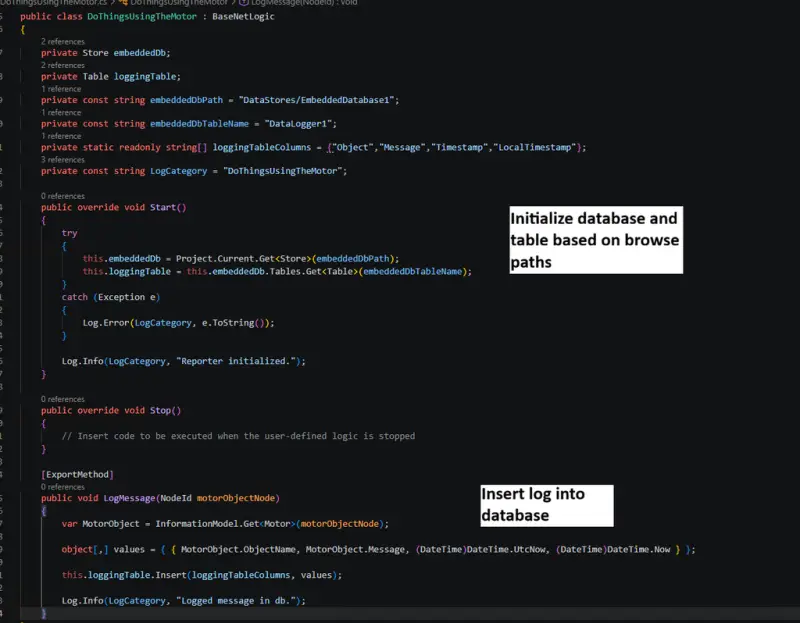
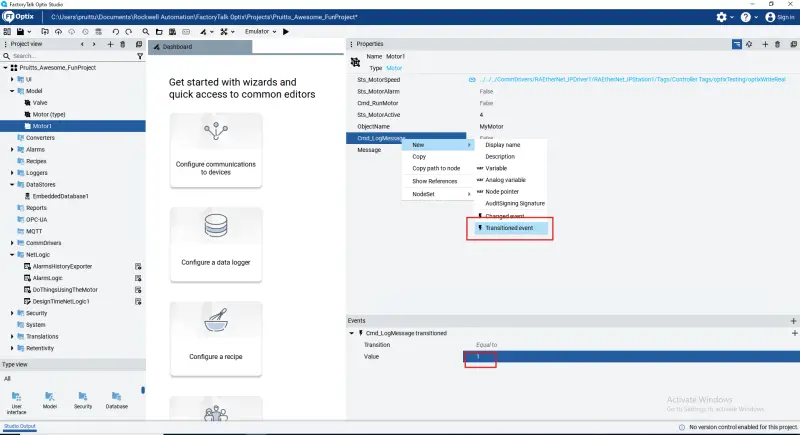
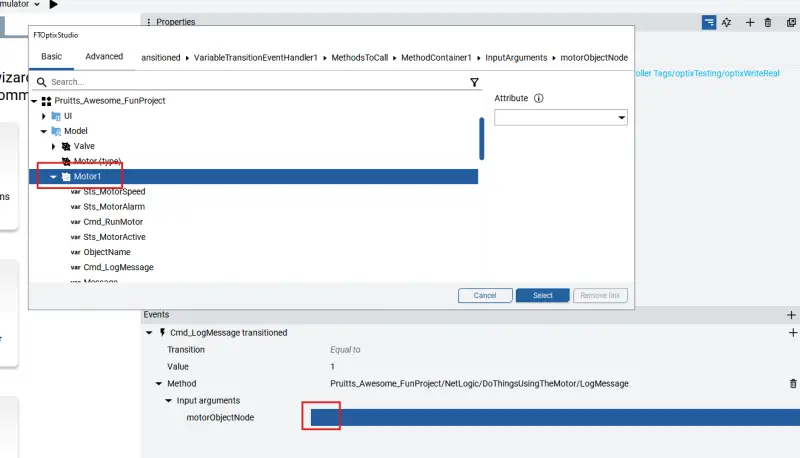
One example accepts a motor node and logs its Message variable to an embedded SQL database. To trigger it from the project, configure a transition event on a Command variable with target value 1, then select the export method and provide the motor object as an input. Each transition to 1 invokes the method and records the message.
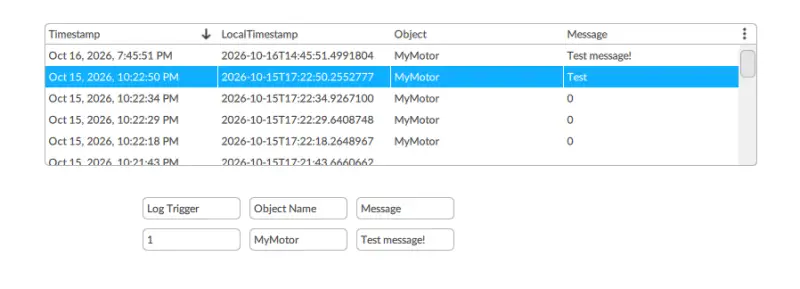
If an export method doesn’t appear after creation, the recommended recovery sequence is to create a fresh NetLogic and method in Studio, set the method’s name and parameters, and save both the script and project before adding its implementation. Reopen the script to add the remaining code, editing declarations as needed rather than replacing the class or the start and stop declarations. Save and close the script, then save the project again.
Design-time scripts and background work
DesignTime NetLogic runs from Studio while a project is being built. Scripts stored in the Studio NetLogic folder can be executed from its context menu. They can modify the information model and automate repetitive setup, such as creating many “Process Order” objects instead of adding each one by hand.
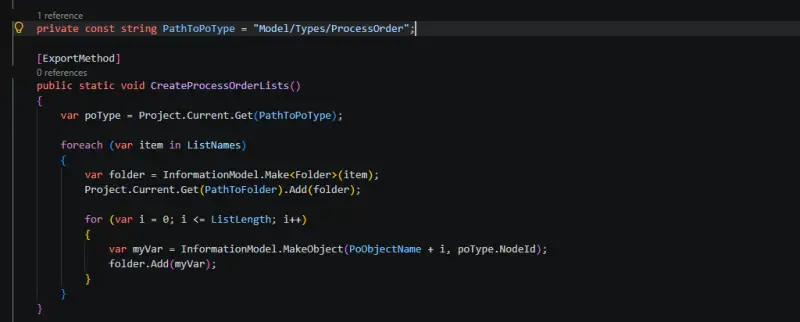
Back up the project before developing and running design-time scripts. In this workflow, BrowsePath can be easier to use than NodeId for locating information-model nodes. If the NetSolution later fails to build with Microsoft package errors, saving and closing the project, reopening it, and saving again may clear the issue.
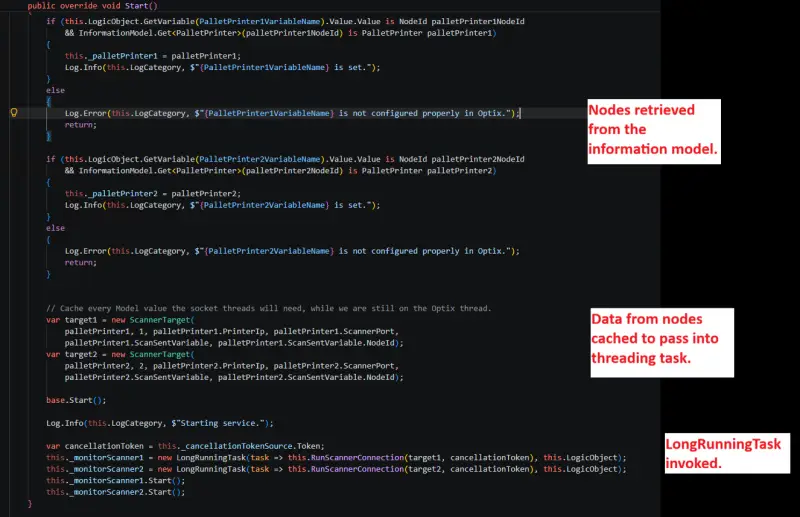
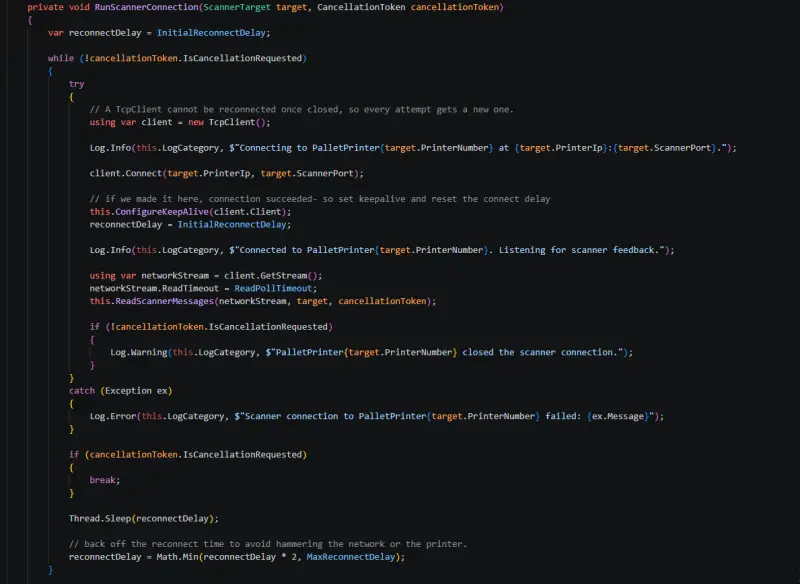
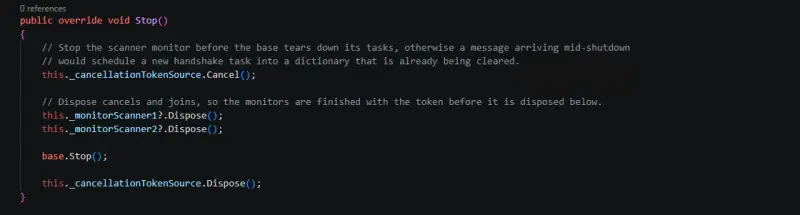
Longer runtime operations also need suitable task handling. Optix provides task handlers for work that would otherwise be handled with standard C# async/await patterns. For a single-run asynchronous operation, Rockwell recommends its LongRunningTask class, which supports cancellation without blocking the main code. One example starts a TCP listener for scanner messages at project startup, passing information-model data to the task. At shutdown, a CancellationToken cancels and disposes of it. Optix also supports periodic and delayed tasks.
Built-in scripts and package troubleshooting
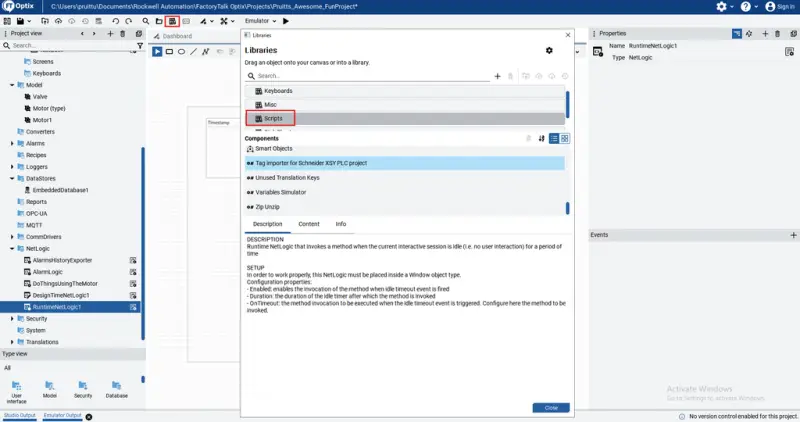
Optix Studio includes a script library with design-time and runtime examples, including information exporters, project analyzers, and general-purpose scripts. The library is available from the heading bar; each entry includes a description and setup guidance.
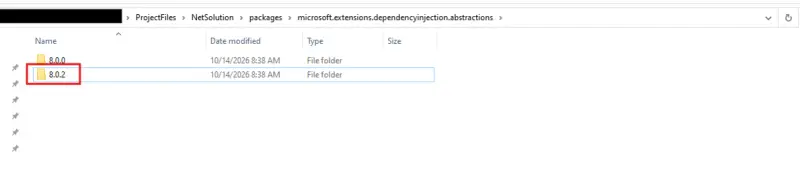
A separate build problem can arise when different Windows users open the same project on a shared machine and the .NET solution references Microsoft.DependencyInjection.Abstractions. The reported workaround is to close Optix under the affected login, move the folder for the package named in the build error out of the project, reopen Studio, and confirm the solution builds. Save and close the project, restore the folder to its original location, then reopen Studio and save again. In the described case, the package folder was version 8.0.2.
The value of Optix’s .NET support lies in how these pieces fit together: NetSolution holds the C# project, NetLogic connects code to the information model, events expose methods to the application, and task handlers keep longer work manageable. That structure gives developers a familiar route to build reusable functions around a machine or process, while keeping project data and runtime behavior connected.