Connect SAP Production Orders to FactoryTalk Batch Through the EI API
- Isaiah Munton
- 657 reads
The FactoryTalk Batch EI API can turn SAP production orders into batches, reducing re-entry while giving teams clear checks for payloads, recipes and results.
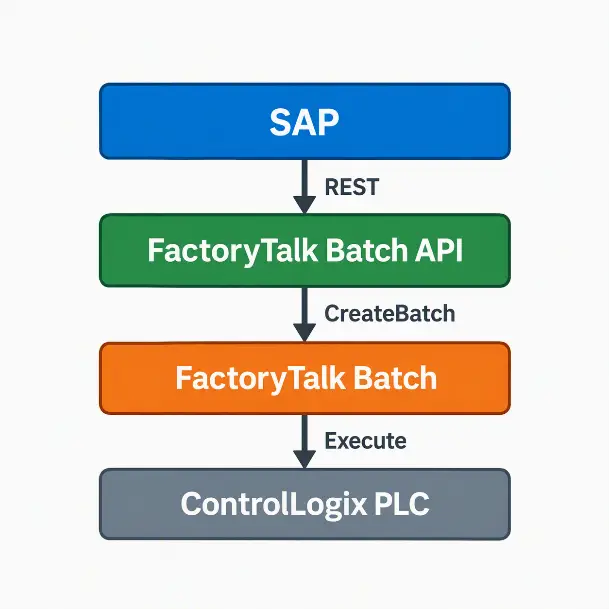
Linking SAP production orders to FactoryTalk Batch can remove a recurring source of shop floor friction: operators re-entering order, recipe, quantity and material data in a separate system. The FactoryTalk Batch Enterprise Integration (EI) API provides a REST interface for sending that information to the Batch Server, where it can be used to create a batch.
The practical gain is a more direct path from an order in the ERP system to batch preparation. Data entered in SAP can carry through to execution, reducing repeated entry and the risk of inconsistencies between business and manufacturing records. The API can also serve as a foundation for connecting other software that can make HTTP requests, including MES platforms, middleware and custom applications.
From order data to a batch request
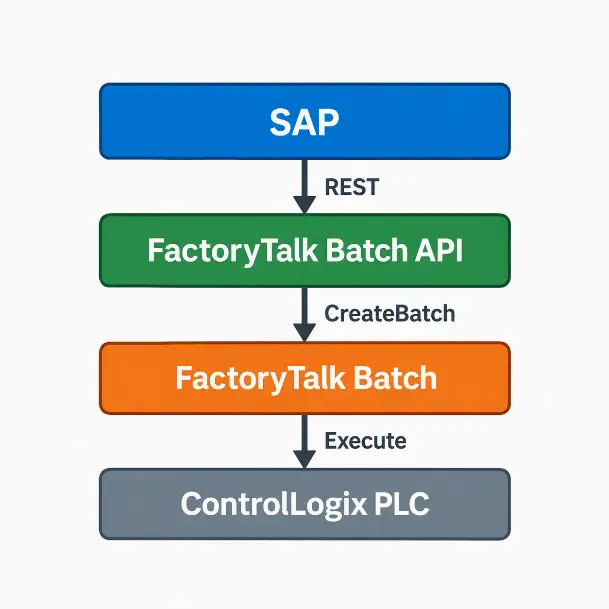
The EI API sits between FactoryTalk Batch and an external application. In a typical SAP workflow, SAP supplies the production details, the integration layer maps them into a CreateBatch request, and the EI API validates and forwards that request to the FactoryTalk Batch Server. If accepted, the server creates a batch that operators can review and prepare for execution.
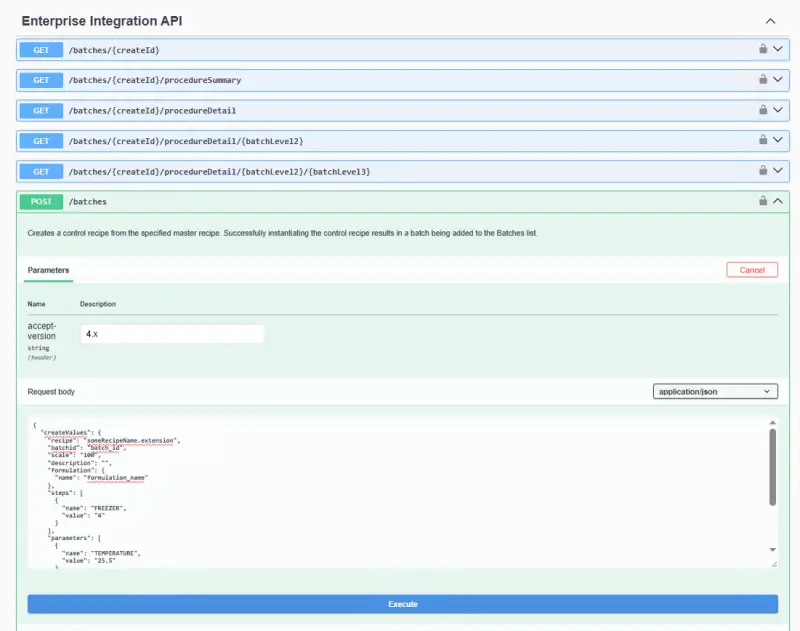
The interface uses standard HTTP requests and JSON payloads, so the client can be built with software capable of making a web request. FactoryTalk Batch also provides a Swagger interface that documents API endpoints, request schemas and response formats. Developers can use it to inspect the available operations and try requests while building or troubleshooting an integration.
Mapping an SAP order
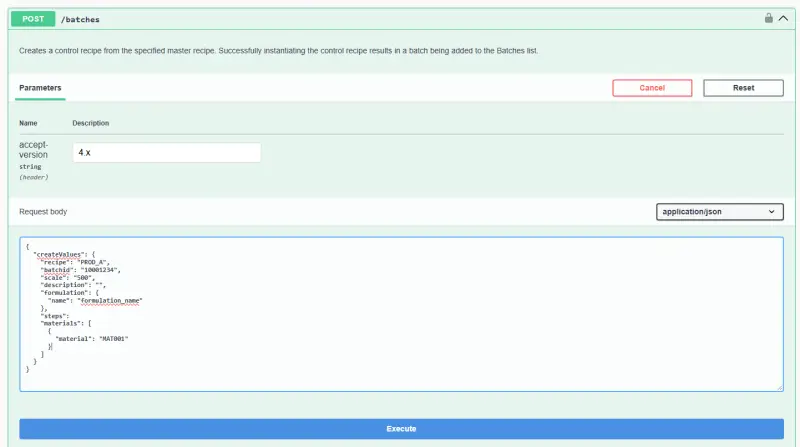
Order fields vary by implementation, but the example uses four values: order number 10001234, recipe PROD_A, quantity 500 and material MAT001. These map to the batch ID, recipe, scale and material fields in the CreateBatch request. In this example, the quantity is passed as the scale value, while the SAP order number becomes the batch identifier.
The integration layer assembles the mapped values into JSON. The example payload includes a recipe, batch ID, scale, an empty description, a formulation name and a materials array containing MAT001. Actual recipe requirements determine which formulation and other parameters must be supplied; the shown values illustrate the mapping rather than defining a universal payload.
| SAP field | Example value | CreateBatch field |
|---|---|---|
| Order number | 10001234 | Batch ID |
| Recipe | PROD_A | Recipe |
| Quantity | 500 | Scale |
| Material | MAT001 | Material |
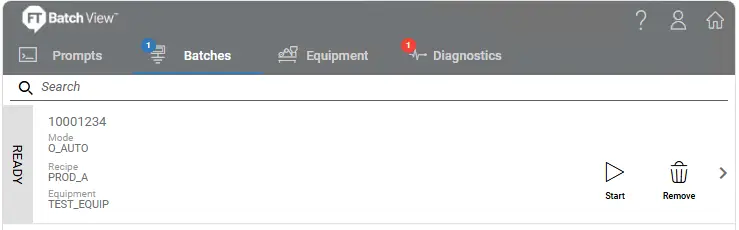
Once submitted, the EI API checks the request and passes it to the Batch Server. For a valid request, FactoryTalk Batch creates a batch from the supplied data. To an operator, it appears in Batch View like a batch entered manually; the difference is that its order information came from SAP. Operators can then review it, start execution, monitor progress and use the normal Batch operations.
Test the API independently
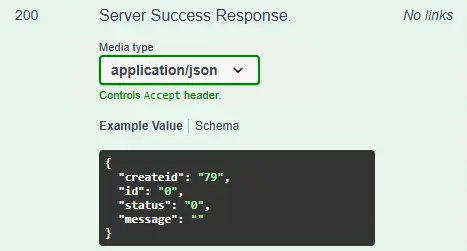
When an end-to-end request fails, testing the CreateBatch call directly through Postman can help narrow down where the problem sits. If the same request works in Postman but fails when sent from SAP or middleware, the integration layer is a likely place to investigate. A successful API response indicates that the Batch Server accepted the creation request, but teams should still confirm the batch appears with the intended values.
Authentication failures can prevent a request from reaching the Batch Server. Check that the client is using the correct endpoint, valid credentials and required authorization headers, and that its service account has enough permissions. Running the request through Swagger or Postman can help distinguish an authentication issue from a problem in the SAP-side connection.
Payload errors often come from missing recipe parameters, material assignments or formulation selections. Use the Swagger CreateBatch schema to identify required fields, then compare those requirements with the values the integration sends. Recipe names also need to match the deployed recipe available on the target Batch Server, including spelling and capitalization. A mismatch between SAP master data and the FactoryTalk Batch recipe configuration can stop batch creation even when the request is otherwise well formed.
Verify the result in Batch View
An API success response is only one part of validation. After submission, confirm that the batch was created in FactoryTalk Batch and check that its ID matches the originating SAP order. Review the recipe, quantity and parameter values as well. This catches mapping errors that a successful HTTP response alone may not reveal.
For manufacturers, the value of this connection is straightforward: production information can be entered once and carried into batch creation, with fewer manual handoffs and better consistency between the ERP and plant systems. The same REST-based pattern can connect FactoryTalk Batch with other applications, provided they can form the required request and supply the recipe data the Batch Server expects.